

עטלעכע ענדערונגען און עטלעכע דערהייַנטיקונגען. דאָ זענען די ענדערונגען:
- We fixed a few icons and created a bunch more that we hope to be added to the main Zafiro icon theme pack by the developers of it. You can always grab the latest icons from דאָ, and add the entire folder to your home/.local/share/icons/zafiro-icon-theme. That’s all. When the developers update the icon theme, the update will be pushed automatically to all TROMjaro users.
- We added a password manager: KeePassXC. We tested this password manager for the past several years and it seems to be the best and easiest to use. We truly recommend this. We also installed a Firefox extension that integrates KeePassXC with the browser, so that your passwords are saved offline, on you computer, and encrypted. To set all of this up, it is super simple: open KeePassXC and create a new “database” (click, create). Then open your Firefox and click the KeePassXC Addon button (top-right corner).
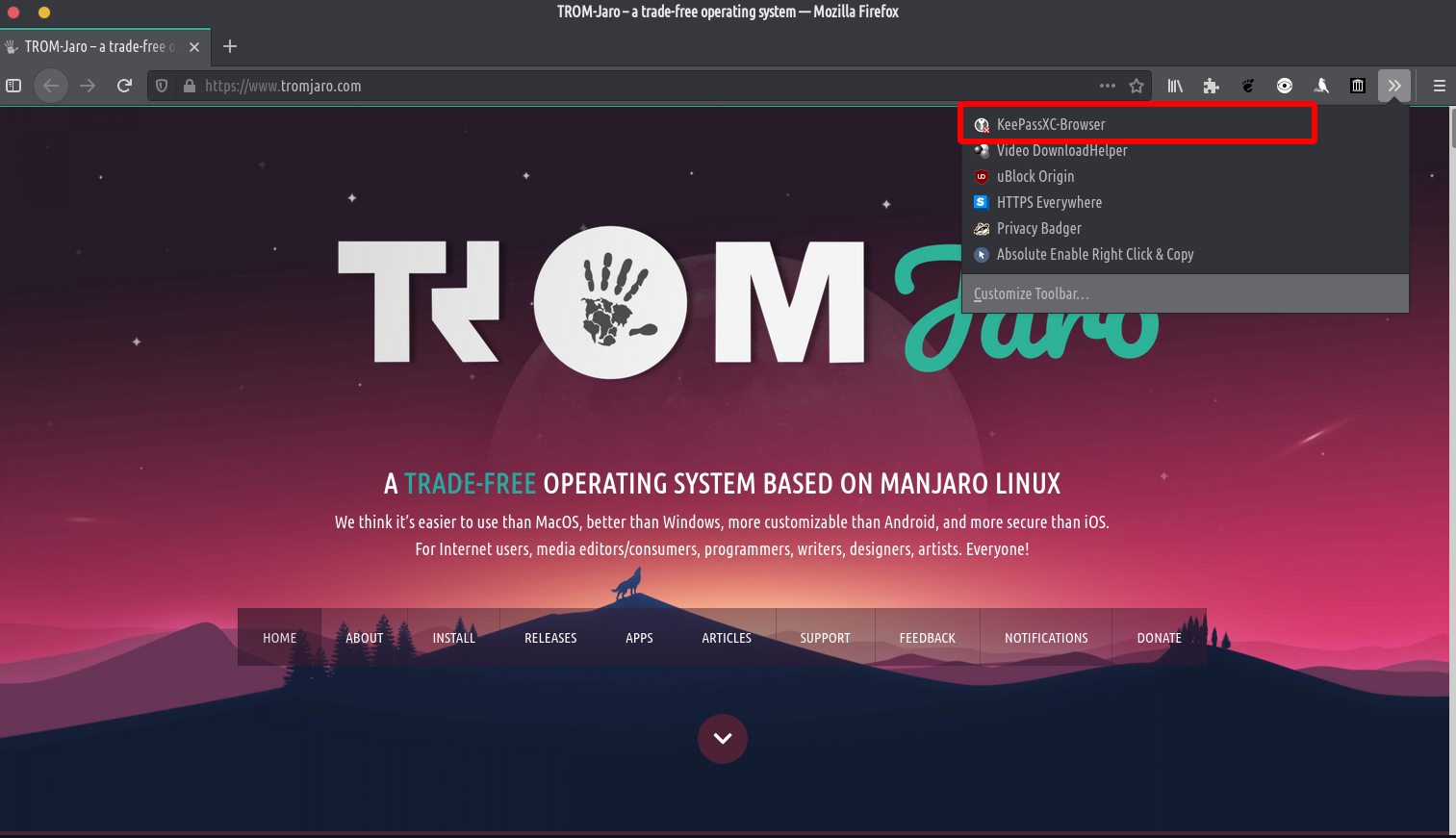
Then simply click connect. That’s it. - מיר האבן צוגעלייגט א וועטער app because we believe it is good to know that Climate Change is a thing :D.
- We fixed an issue with the Firefox’s top bar. Go to Firefox’s menu -> Customize. Then enable the Title Bar,

זייַט טאָן: אויף דער ערשטער שטיוול נאָך די ינסטאַלירונג, די יוניטע פאַרלענגערונג איז נישט לאָדן און דאָס איז דער פאַל פֿאַר Firefox סעטטינגס. אָדער רעבאָאָט די קאָמפּיוטער אָדער דערפרישן די דעסקטאַפּ דורך דרינגלעך Alt + F2, שרייַבן "ר", דריקן אַרייַן. אָדער נאָענט Firefox און עפֿענען עס ווידער. מיר טאָן ניט וויסן וואָס ז דעם זשוק, אָבער עס איז לייכט פיקסאַבאַל דורך פשוט ריסטאַרטינג די קאָמפּיוטער, דעסקטאַפּ אָדער פירעפאָקס. און עס וועט אַרבעטן נאָך דעם.