

giới thiệu hình ảnh ứng dụng cho tromjaro
Cài đặt ứng dụng trên TROMjaro rất dễ dàng. Có hai cách để làm điều đó:
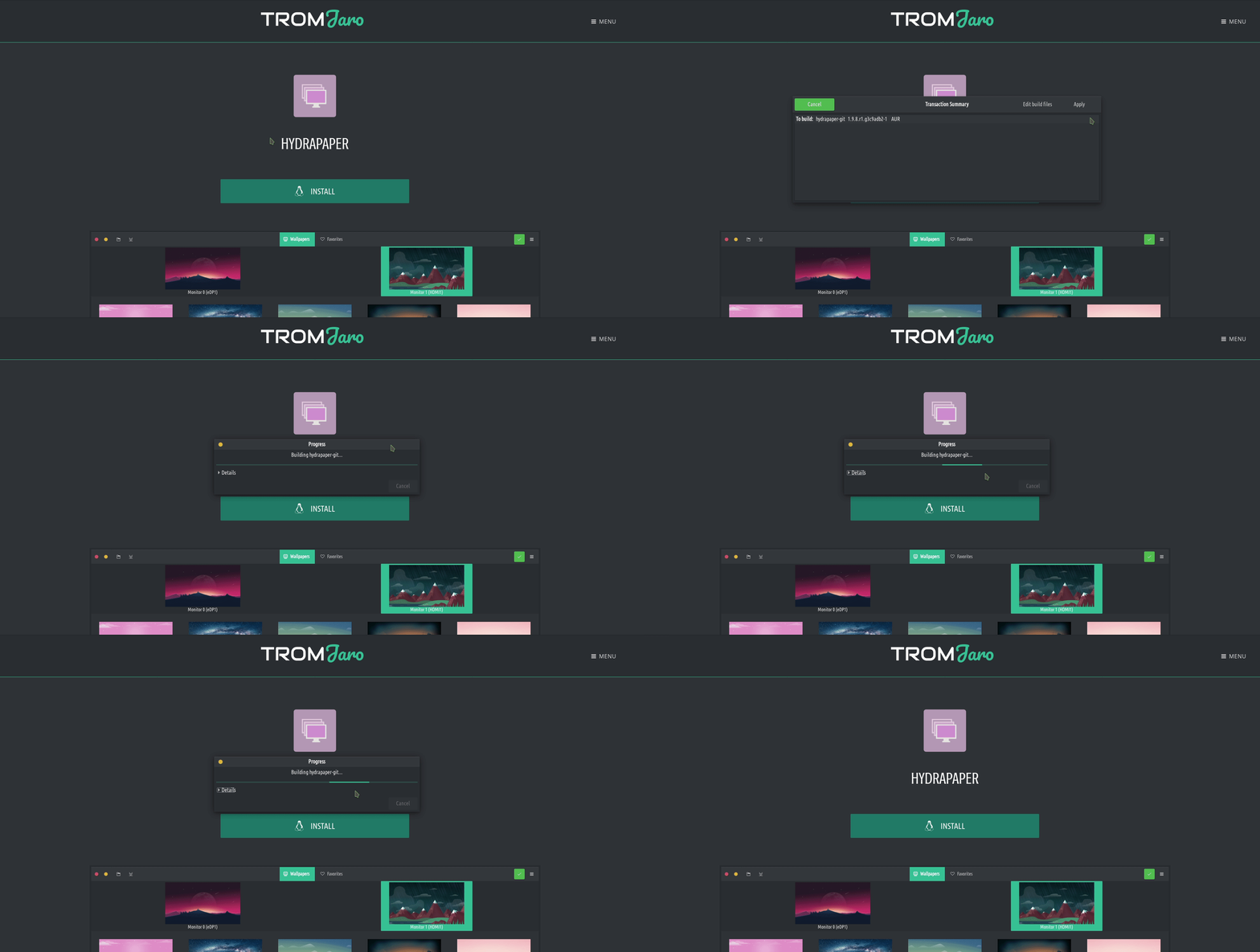
1. Cách được khuyến nghị là truy cập trang web của chúng tôi ỨNG DỤNG phần nơi chúng tôi quản lý các ứng dụng phi thương mại. Nhấp vào bất kỳ, sau đó chỉ cần nhấp vào cài đặt. You will see a window showcasing what it will be installed and it will ask you to accept that or to cancel it. Click Apply then add your administrator password, and the application will install. Đơn giản như vậy: nhấp chuột, áp dụng, thêm mật khẩu.
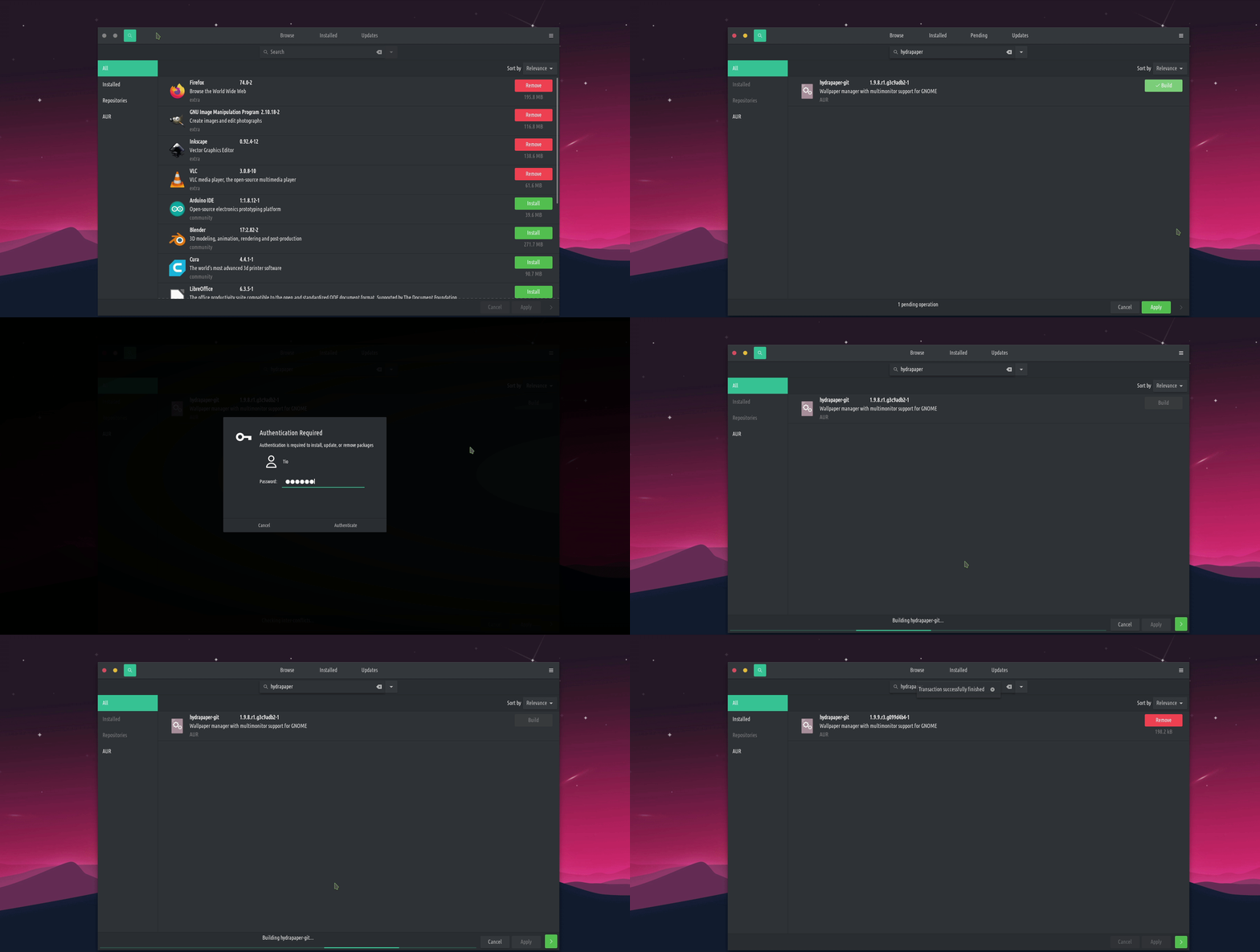
2. Cách “trung tâm phần mềm”: mở “Thêm/Xóa phần mềm” trong TROMjaro và tìm kiếm bất kỳ ứng dụng nào bạn muốn. Chọn nó, sau đó nhấp vào áp dụng, sau đó áp dụng lại, thêm mật khẩu của bạn và thì đấy! Đơn giản. Nhược điểm duy nhất là “trung tâm phần mềm” lưu trữ hàng nghìn ứng dụng, một số trong đó không được tự do mua bán. Vì vậy, việc lựa chọn những gì để cài đặt có thể là một rắc rối.
Các ứng dụng không chứa.
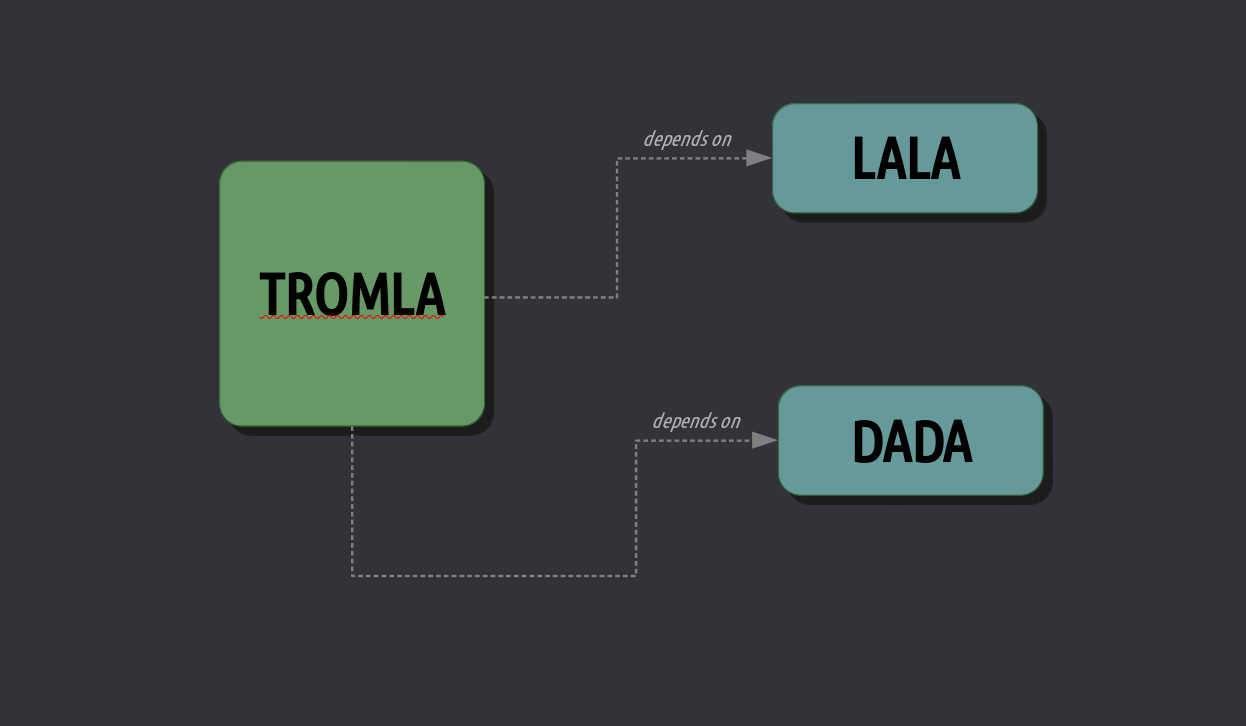
An application is a piece of software that does things. Nói TROMLA là một từ điển giống như ứng dụng. TROMLA uses the LALA dictionary database and the DADA module to translate the application in different languages. TROMLA, thus, needs the LALA and the DADA packages. These packages are independent since other applications can use them for various purposes.
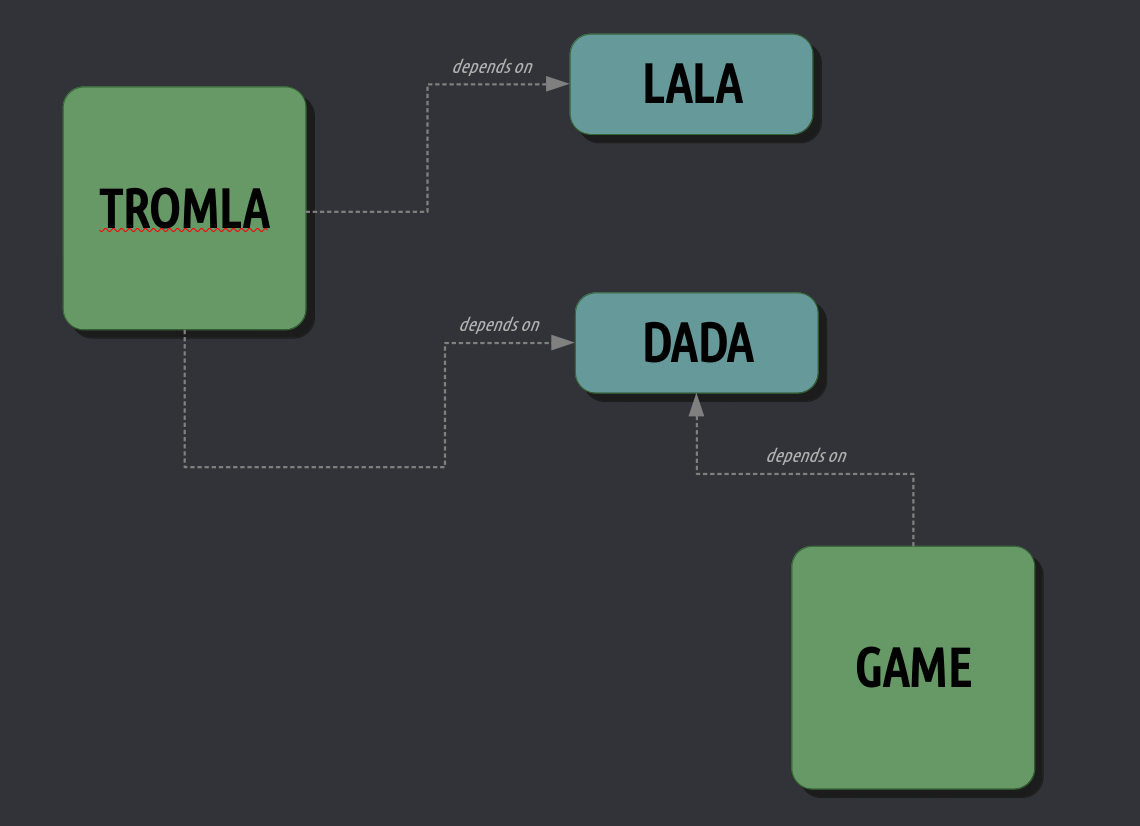
Chào mừng đến với con đường mới! Chứa các ứng dụng. Những gì chúng ta thấy bây giờ là sự gia tăng của các ứng dụng chứa tất cả những gì chúng cần trong một gói. TROMLA is packaged with the LALA and DADA packages into one single “thing”.
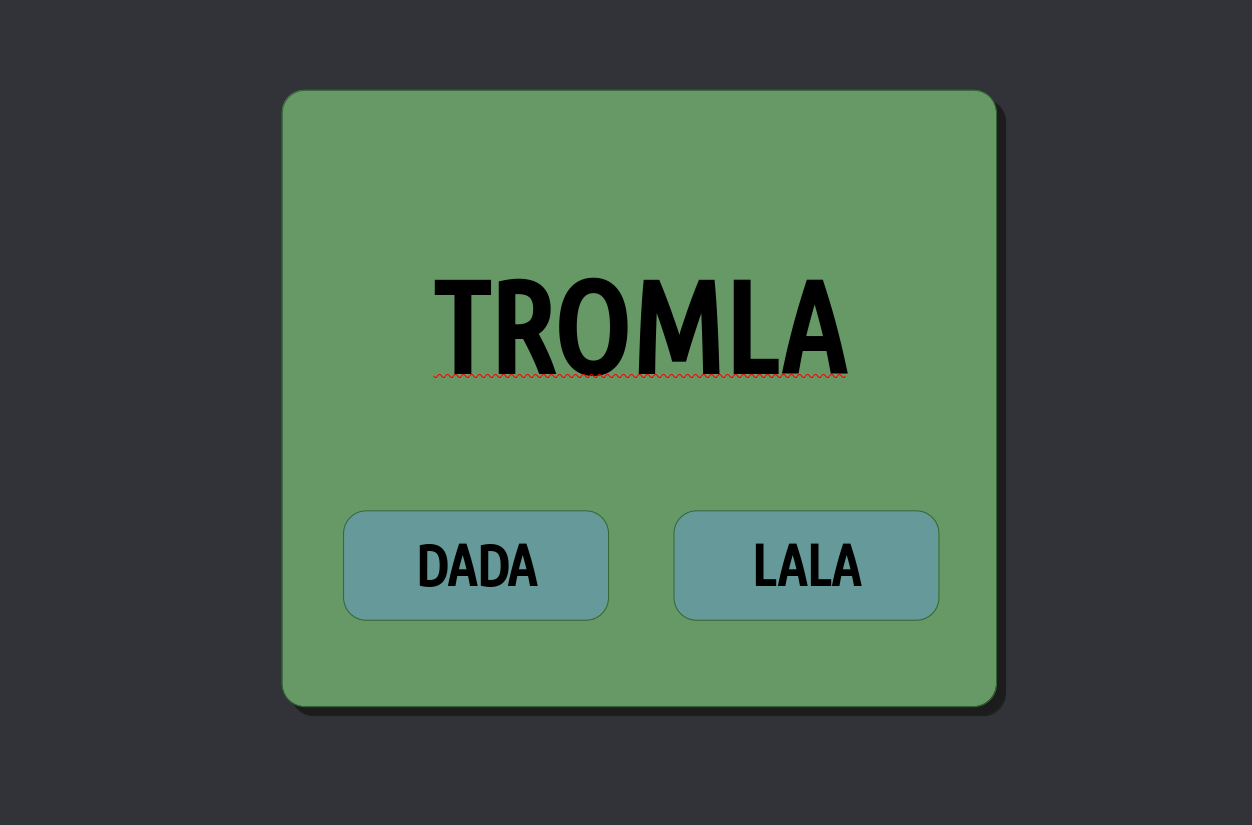
Điều này thực sự tốt hơn về khả năng tương thích. Một hệ thống đóng gói như vậy là AppImage. TROMLA can now be downloaded on any Linux distribution and simply “double click it” and it works. Không cần cài đặt gì cả. Đó là trường hợp “tải xuống và sử dụng”. Bạn muốn loại bỏ nó? Chỉ cần xóa nó! Ưu điểm rất lớn là ứng dụng sẽ hoạt động. Almost 100% of the time, since all it needs is in that one file. The downside is the fact that TROMLA may be 100MB in size compared to say 10MB in size with the other system. But today disk space is something people have in abundance, so this is not the biggest downside. Nhược điểm lớn nhất là AppImages không cập nhật tự động và nếu bạn muốn cập nhật lên phiên bản TROMLA mới, bằng cách nào đó bạn phải theo dõi các bản phát hành TROMLA và khi bạn thấy bản phát hành mới, hãy xóa AppImage cũ và tải xuống bản mới. In the long run and with many AppImages this cannot work well. We had a look at other such packaging methods but AppImage seems the most trade-free of them all and one that is the simplest for anyone to use.
So, why are we interested in such packaging systems when we have hundreds of thousands of apps in TROMjaro’s library? Because more and more of the newer apps ship in this new format. We have tried to convert them to “our” format (the non-contained one) but this means a lot of work and maintenance. So we either put a lot of work in converting these new contained apps into the TROMjaro non-contained format, or accept the contained format. And we think is better for now to accept the contained format in the form of AppImages that TROMjaro already supports. Thus, from now on we will recommend AppImages too in our APPS section of the website. They won’t update automatically like the other apps, but we can work around this. Vì thế. Đây là giao diện của các ứng dụng như vậy trong phần ỨNG DỤNG của chúng tôi:
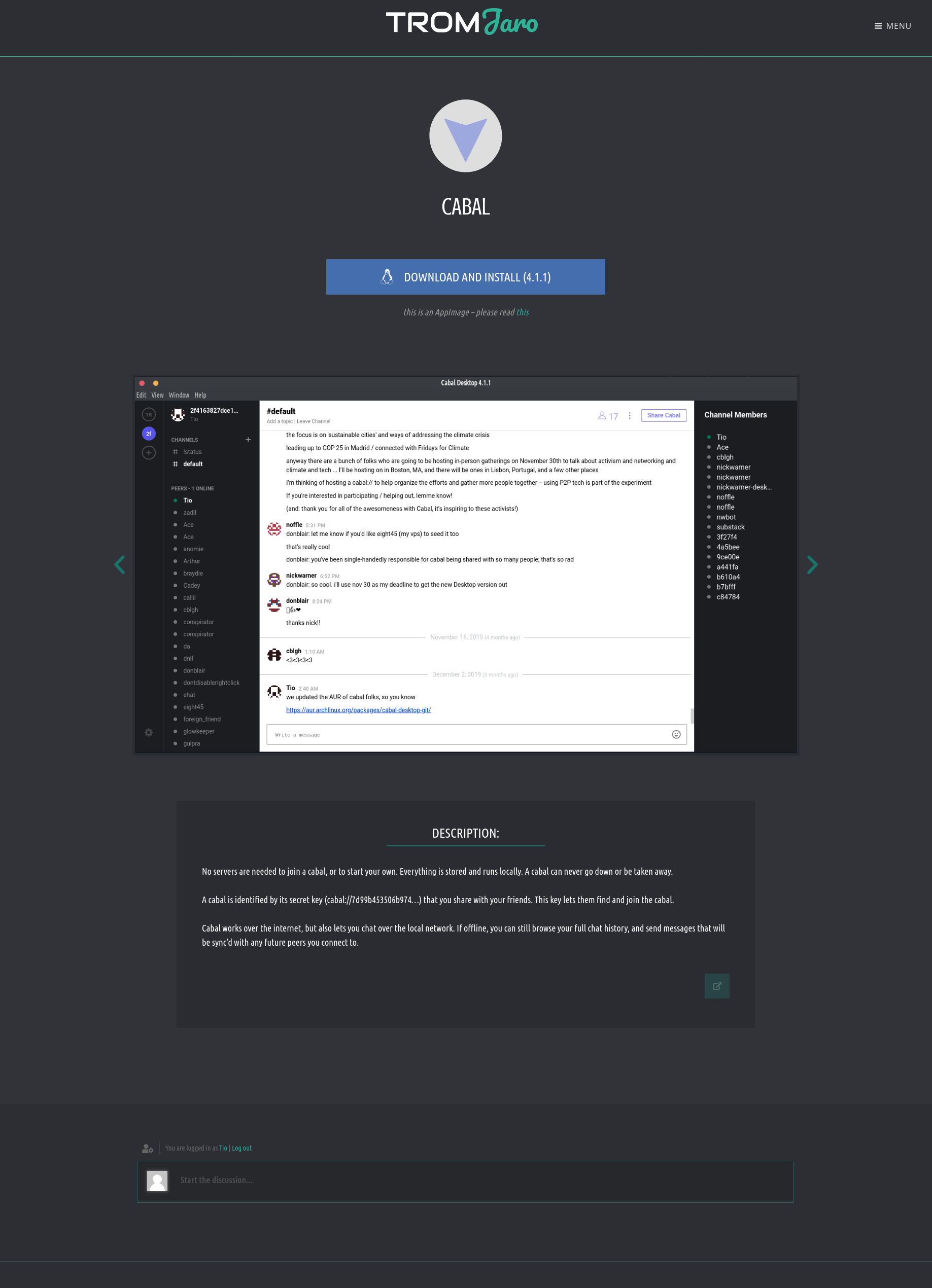

AppImages will look and function the same way that any other apps do on TROMjaro. Adopting this contained packaging system allows us to recommend even more trade-free applications. But we would like to stop at this, since we do not want to create a monster out of TROMjaro. We think that a centralized way of installing and updating apps is the best and easiest. AppImages are disturbing a bit the TROMjaro waters, but it is a “compromise” we can accept. Maybe in the future we will find a way to only rely on the core “software center” in TROMjaro for installing applications. In any case, only a tiny percentage of the recommended apps will be AppImages.
Vì vậy, hãy nắm lấy AppImages! Họ thật tuyệt vời. Họ làm việc. Thật dễ dàng để cài đặt và gỡ bỏ chúng. And we keep an eye on the “updates” part and notify you about that.
Thêm: Mặc dù tôi đã cố gắng trình bày tất cả các tính năng chính của chương trình, có rất nhiều tính năng nhỏ hơn mà tôi đã bỏ lỡ. Có thể kể đến một số: Chế độ khung dây cho phép bạn phát hiện các lỗ trong hình học, vẽ gương để tạo hiệu quả các đối tượng đối xứng, hoàn tác / làm lại không giới hạn, nhập hình ảnh 2D dưới dạng voxel hoặc các công cụ hỗ trợ trực quan như trục tọa độ.
không có ứng dụng liên quan.