


PODOBNE APLIKACIJE:
 Nazaj v čas
 Že dup
 kot privzeti video/avdio predvajalnik. Želimo, da je TROMjaro zelo uporabniku prijazen, SMplayer in Exaile pa sta bila za povprečnega uporabnika nekoliko preveč zapletena, saj sta ponujala veliko več možnosti, kot jih večina ljudi verjetno potrebuje. Parole je zelo preprost predvajalnik in zelo enostaven za uporabo tako za video kot zvočne datoteke. Seveda lahko vsak namesti SMplayer in Exaile iz naše knjižnice aplikacij brez trgovine.
 Diski GNOME
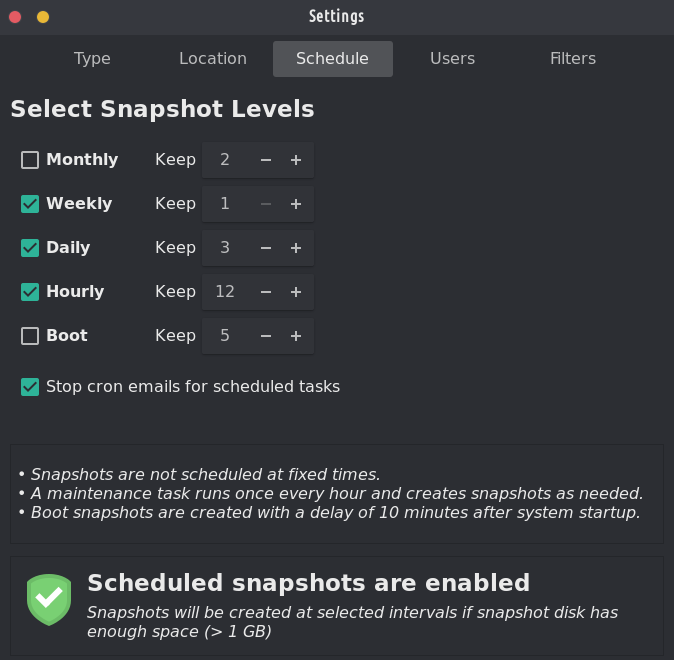
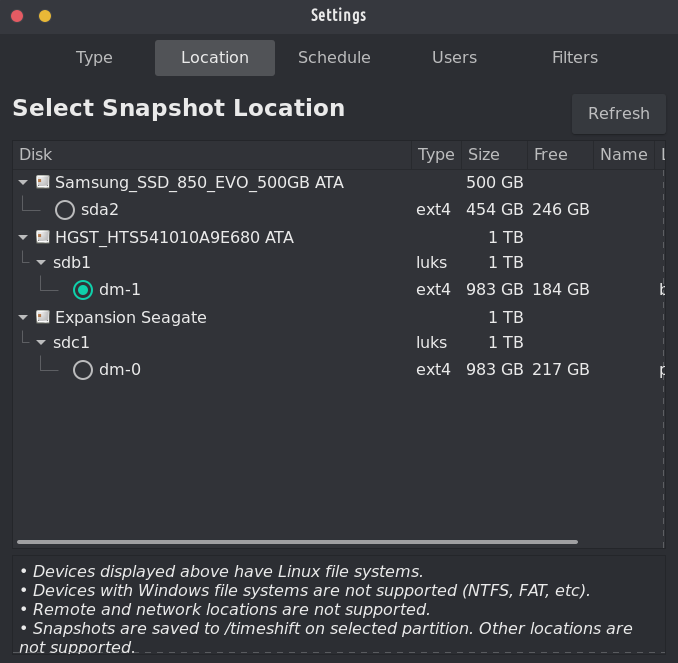
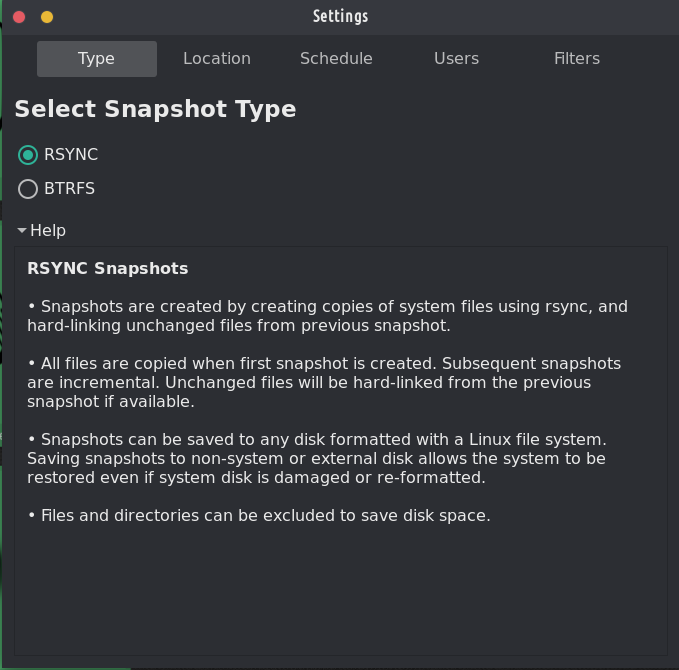
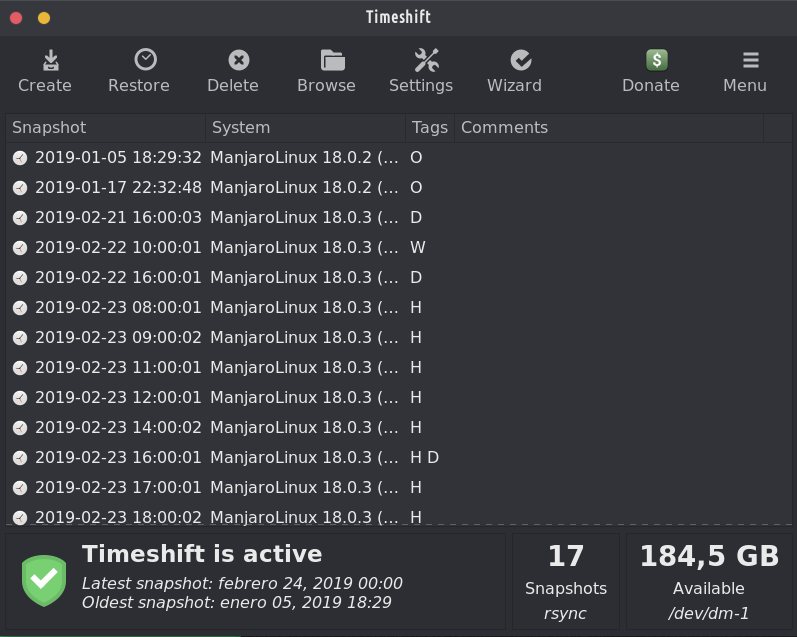
To je eden od dveh vnaprej nameščenih programov za varnostno kopiranje na TROM-Jaro in z dobrimi razlogi: preprosto ga je nastaviti in rešil vas bo, tudi če popolnoma zlomite svoj sistem. It is perfectly designed to backup up your system, not your files. It takes a few minutes to set it up and you will forget about it until you really need it.
To restore a backup is as simple as opening Timeshift, select what snapshot you want, and click restore. V primeru, da se vaš sistem ne zažene (res ste zamočili svoj sistem), preprosto priključite USB s TROM-Jaro, ga zaženite in storite enako: odprite Timeshift in izberite obnovitev (zdaj izberite, kam so shranjene vaše varnostne kopije) in obnovite sistem.
Skratka, ta program je OBVEZEN! Nobena distribucija Linuxa ne bi smela biti dobavljena brez tega.
And with “timeshift-autosnap” installed Timeshift does auto-backups before any update of the system. Ni potrebna nobena nastavitev.
To je sicer živo usb geslo. Moral bi pokazati, da vem.
@trom Timeshift isa fantastic piece of software that doesn't get enough praise. Varnostne kopije niso seksi, vendar so ključne.
Oddaljeni odgovor
Prvotni URL komentarja
Vaš profil
Zakaj moram vnesti svoj profil?
This site is part of the ⁂ open social web, a network of interconnected social platforms (like Mastodon, Pixelfed, Friendica, and others). Unlike centralized social media, your account lives on a platform of your choice, and you can interact with people across different platforms.
By entering your profile, we can send you to your account where you can complete this action.