

- We migrated to kernel 510. This is the latest long term release (LTS) kernel. The kernel is the core of the operating system, providing the drivers and all of these ‘goodies’. The newer the kernel, the better the compatibility with the hardware. So we highly recommend everyone to upgrade to the latest kernel. This is one in a year or more event, mind you. To upgrade, open the Manjaro Settings:
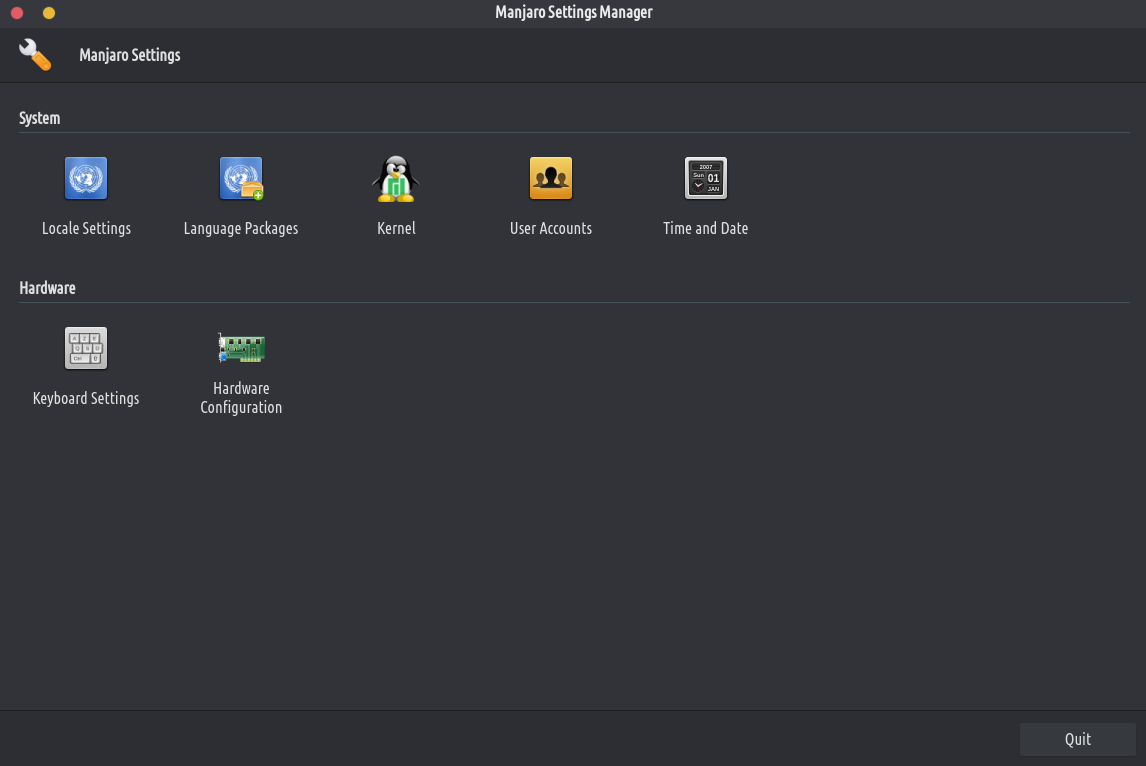
Go to “kernel” and install the 5.10 version by simply clicking the “install” button. After the installation is done reboot your computer in order to use it. In the very first seconds of your computer rebooting, press SHIFT on your keyboard multiple times until you see a menu. Select the Advanced options, and then select the kernel 5.10.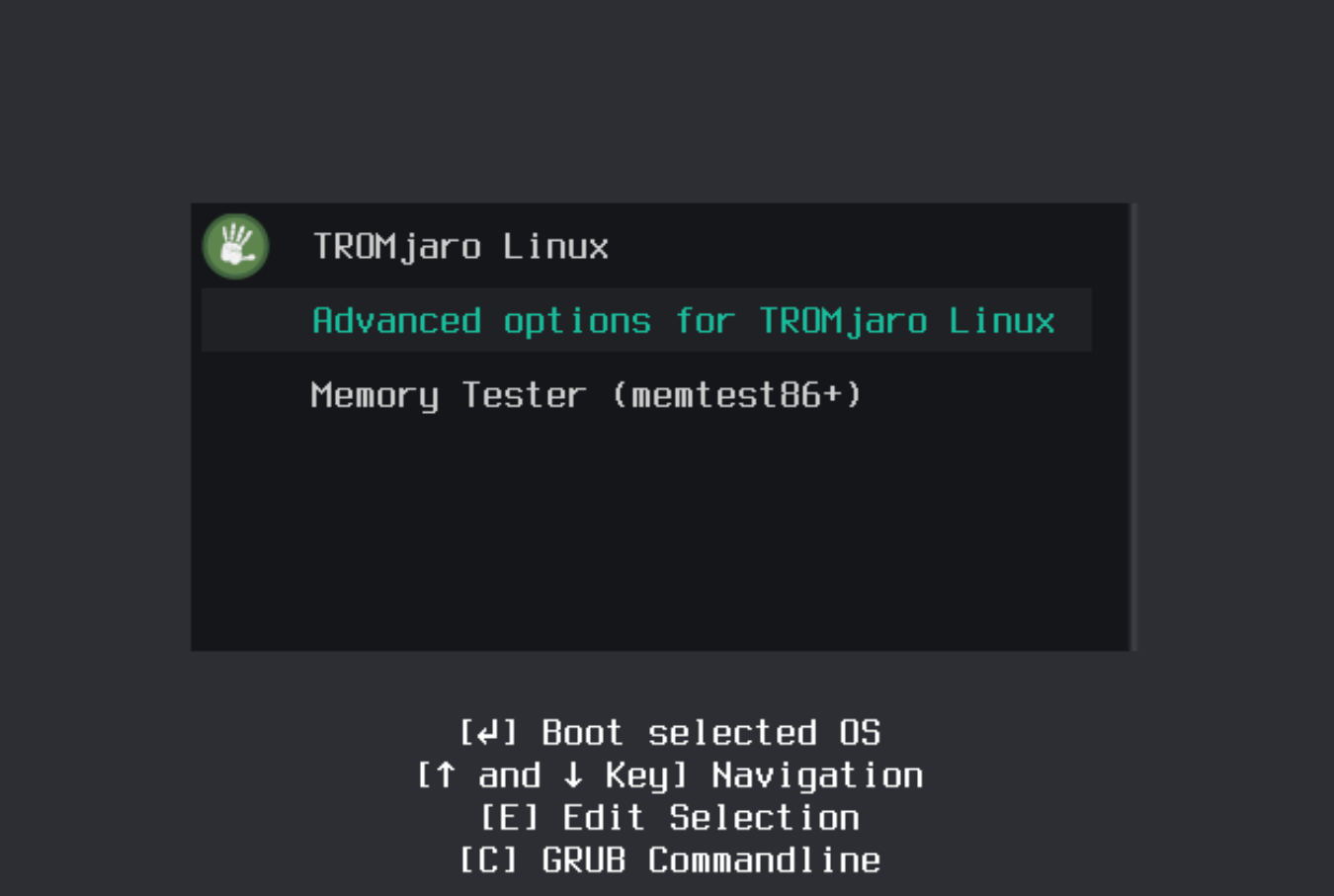
ਇਹ ਸਭ ਹੈ. ਹੁਣ ਤੋਂ ਤੁਹਾਡਾ ਕੰਪਿਊਟਰ ਨਵੇਂ ਕਰਨਲ ਦੀ ਵਰਤੋਂ ਕਰੇਗਾ। ਵਧਾਈਆਂ!
- We migrated to kernel 510. This is the latest long term release (LTS) kernel. The kernel is the core of the operating system, providing the drivers and all of these ‘goodies’. The newer the kernel, the better the compatibility with the hardware. So we highly recommend everyone to upgrade to the latest kernel. This is one in a year or more event, mind you. To upgrade, open the Manjaro Settings:
- ਅਸੀਂ ਡਿਜ਼ਾਇਨ ਦੇ ਮਾਮਲੇ ਵਿੱਚ TROMjaro ਇੰਸਟਾਲਰ (Calamares) ਵਿੱਚ ਬਹੁਤ ਸੁਧਾਰ ਕੀਤਾ ਹੈ। ਹੁਣ ਇਹ ਪੂਰੇ TROMjaro OS ਵਰਗਾ ਦਿਖਾਈ ਦਿੰਦਾ ਹੈ, ਅਤੇ ਲੋਕਾਂ ਲਈ ਇਸਨੂੰ ਸਥਾਪਤ ਕਰਨ ਲਈ ਸਧਾਰਨ ਕਦਮਾਂ ਦੀ ਪਾਲਣਾ ਕਰਨਾ ਆਸਾਨ ਬਣਾਉਂਦਾ ਹੈ।
- ਅਸੀਂ ਆਪਣਾ ਅਪਡੇਟ ਕੀਤਾ ਸੀਅਰਐਕਸ ਖੋਜ ਇੰਜਣ, ਡਿਫੌਲਟ TROMjaro ਖੋਜ ਇੰਜਣ। ਹੁਣ ਇਹ ਤੇਜ਼, ਵਧੇਰੇ ਸਟੀਕ ਅਤੇ ਵਧੇਰੇ ਸੁਰੱਖਿਅਤ ਹੈ। ਜੇ ਤੁਸੀਂ ਇਹ ਦੇਖ ਰਹੇ ਹੋ ਕਿ ਜਦੋਂ ਵੀ ਤੁਸੀਂ ਫਾਇਰਫਾਕਸ url ਬਾਰ ਵਿੱਚ ਕੁਝ ਟਾਈਪ ਕਰਦੇ ਹੋ, ਤਾਂ ਖੋਜ ਖੋਜ ਇੰਜਣ ਦੁਆਰਾ ਨਹੀਂ ਜਾਂਦੀ ਅਤੇ ਇਹ ਬਸ SearX ਨੂੰ ਖੋਲ੍ਹਦਾ ਹੈ, ਫਿਰ ਇਸ 'ਤੇ ਜਾਓ ਫਾਇਰਫਾਕਸ - ਤਰਜੀਹਾਂ - ਖੋਜ. ਹੇਠਾਂ ਸਕ੍ਰੋਲ ਕਰੋ ਅਤੇ TROMland SearX ਨੂੰ ਹਟਾਓ. ਹੁਣ ਦੁਬਾਰਾ SearX ਇੰਜਣ 'ਤੇ ਜਾਓ (https://tromland.org/searx/) ਅਤੇ ਚੋਟੀ ਦੇ url ਪੱਟੀ ਤੋਂ, 3 ਬਿੰਦੀਆਂ, ਇਸਨੂੰ ਫਾਇਰਫਾਕਸ ਵਿੱਚ ਵਾਪਸ ਜੋੜੋ। ਅੰਤ ਵਿੱਚ, ਵਾਪਸ ਜਾਓ ਤਰਜੀਹਾਂ ਅਤੇ ਇਸਨੂੰ ਪੂਰਵ-ਨਿਰਧਾਰਤ ਬਣਾਓ. ਇਹ ਹੀ ਗੱਲ ਹੈ.
ਨਾਲ ਬਾਈਲਾਈਨtrom 'ਤੇ