


Tijdsverschuiving
OMSCHRIJVING:
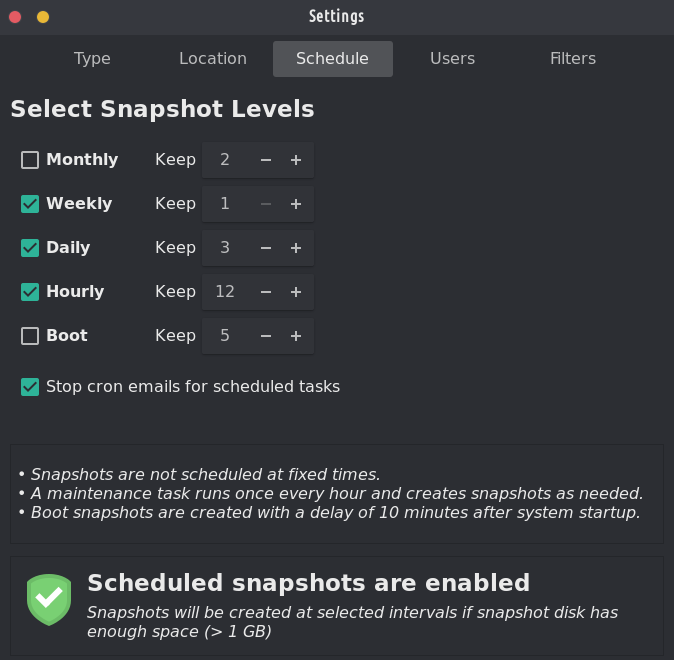
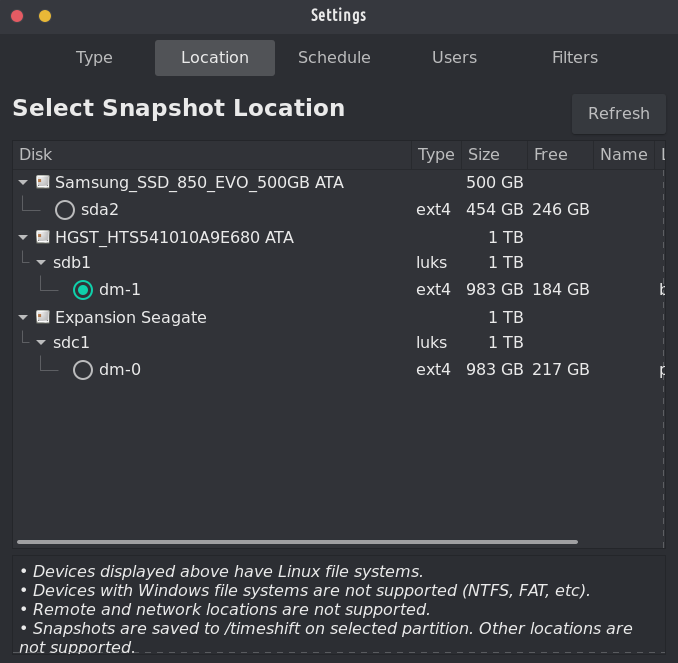
Systeemherstelprogramma voor Linux. Creates filesystem snapshots using rsync+hardlinks, or BTRFS snapshots. Supports scheduled snapshots, multiple backup levels, and exclude filters. Snapshots can be restored while system is running or from Live CD/USB.
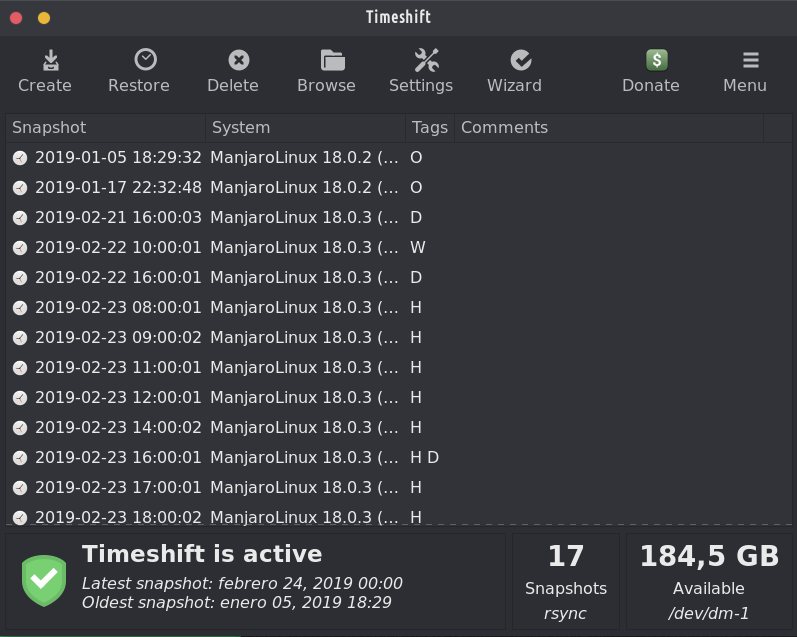
Timeshift voor Linux is een applicatie die functionaliteit biedt die vergelijkbaar is met de functie Systeemherstel in Windows en de Time Machine-tool in Mac OS. Timeshift protects your system by taking incremental snapshots of the file system at regular intervals. These snapshots can be restored at a later date to undo all changes to the system.
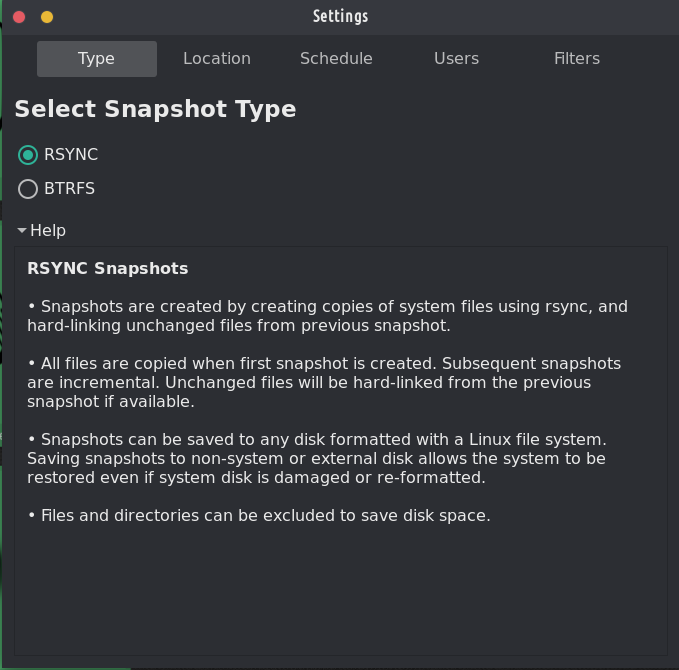
In RSYNC mode, snapshots are taken using rsync and hard-links. Common files are shared between snapshots which saves disk space. Each snapshot is a full system backup that can be browsed with a file manager.
In BTRFS mode, snapshots are taken using the in-built features of the BTRFS filesystem. BTRFS snapshots are supported only on BTRFS systems having an Ubuntu-type subvolume layout (with @ and @home subvolumes).
Timeshift is similar to applications like rsnapshot, BackInTime and TimeVault but with different goals. It is designed to protect only system files and settings. User files such as documents, pictures and music are excluded. This ensures that your files remains unchanged when you restore your system to an earlier date.




Het is een van de twee vooraf geïnstalleerde back-upprogramma's op TROM-Jaro en om goede redenen: het is eenvoudig in te stellen en het zal je redden, zelfs als je je systeem volledig kapot maakt. It is perfectly designed to backup up your system, not your files. It takes a few minutes to set it up and you will forget about it until you really need it.
To restore a backup is as simple as opening Timeshift, select what snapshot you want, and click restore. In het geval dat uw systeem niet opstart (u heeft uw systeem echt verprutst), sluit dan gewoon een USB aan met TROM-Jaro, start het op en doe hetzelfde: open Timeshift en selecteer herstellen (selecteer nu waar uw back-ups worden opgeslagen) en herstel uw systeem.
Al met al is dit programma een MUST! Geen enkele Linux-distributie zou zonder dit moeten worden geleverd.
And with “timeshift-autosnap” installed Timeshift does auto-backups before any update of the system. Er is geen enkele opstelling nodig.
Dat is echter het live USB-wachtwoord. Ik moet duidelijk maken dat ik het weet.
@trom Timeshift isa fantastic piece of software that doesn't get enough praise. Back-ups zijn niet sexy, maar wel cruciaal.
Antwoord op afstand
Originele reactie-URL
Jouw profiel
Waarom moet ik mijn profiel invoeren?
Deze site maakt deel uit van het ⁂ open sociale web, een netwerk van onderling verbonden sociale platforms (zoals Mastodon, Pixelfed, Friendica en andere). In tegenstelling tot gecentraliseerde sociale media bevindt uw account zich op een platform naar keuze en kunt u communiceren met mensen op verschillende platforms.
Door uw profiel in te voeren, kunnen wij u naar uw account sturen waar u deze actie kunt voltooien.