

Mgbanwe ole na ole yana mmelite ole na ole. Nke a bụ mgbanwe:
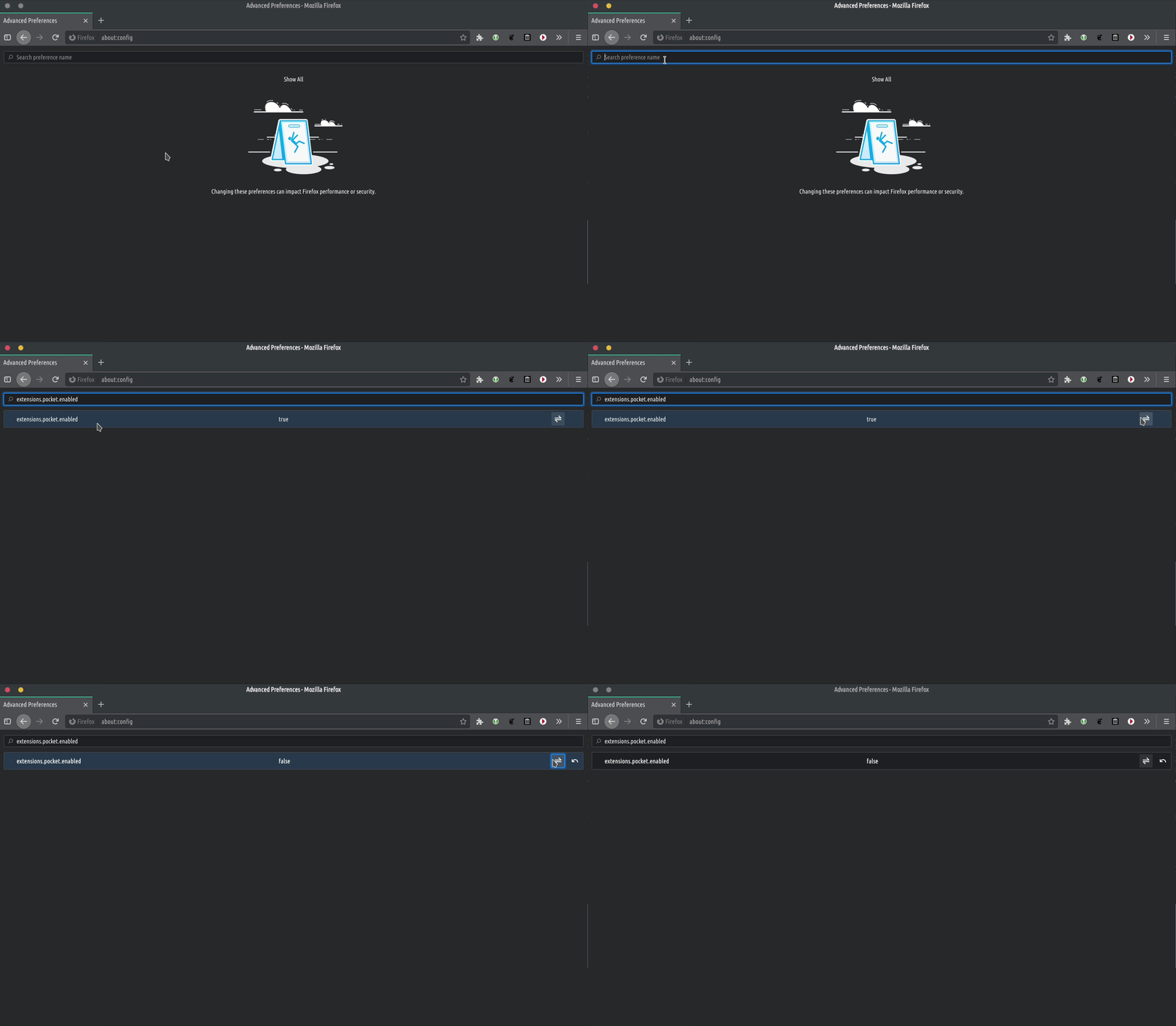
- We removed the Firefox ‘recommended extensions‘ from the Addons page, since Firefox will often recommend trade-based extensions. For current users: go to a new Firefox tab and write ‘gbasara: config‘. Press enter. Then click ‘accept the risks and continue‘. In the search box search for ‘extensions.htmlaboutaddons.recommendations.enabled‘ and disable it by toggling the disable button like you see bellow.
.
- We removed the Firefox ‘recommended extensions‘ from the Addons page, since Firefox will often recommend trade-based extensions. For current users: go to a new Firefox tab and write ‘gbasara: config‘. Press enter. Then click ‘accept the risks and continue‘. In the search box search for ‘extensions.htmlaboutaddons.recommendations.enabled‘ and disable it by toggling the disable button like you see bellow.
.- We replaced some screenshots for the TROMjaro Installer to reflect our latest changes to TROMjaro.
- We removed the extension “Search by Image"site na Firefox, ebe ọ bụ na ọ na-eji Google, Bing na ọrụ ndị ọzọ na-azụmaahịa. Ee, iji ụdị Firefox anyị, a ga-echebe ndị ọrụ site na ịzụ ahịa data / nlebara anya na ụlọ ọrụ ndị a, mana ọ ga-aka mma ka anyị chọta ụzọ ọzọ na-enweghị ahia. Nke a ndọtị na-enye gị ohere ịtụgharị-ịchọ ihe oyiyi, nke bara uru, ma eleghị anya ọ bụghị nke ahụ dị mkpa. N'ọnọdụ ọ bụla, ozugbo anyị ga-azụta TROM, anyị ga-achọta ihe ọzọ.
- Anyị nyere site na ndabara isiokwu gbara ọchịchịrị maka nnukwu ozi qTox nke TROMjaro na-abịabu etinyere ya. Isiokwu a dabara na OS ndị ọzọ.
- Finally, we enabled for the installation of flatpaks directly from our APPS library. This is really great since it opens up more apps for us to recommend. Now users can very easily install AUR, from Repositories, or Flatpaks directly from our APPS library. And you can’t tell the difference since the process is all the same and super simple. Of course, users can also install AppImages in TROMjaro. So, with Repositories, AUR, Flatpaks and AppImages, pretty much any Linux application can be installed on TROMjaro from our APPS library. Current users must install ‘web-installer-url-handler‘ to enable it. After enabling it, test it with this VLC package. Firefox will ask you to open with the ‘Web Installer' . Ị nwere ike họrọ iji ya meghee ya na ndabara, wee pịa 'cheta nhọrọ m' . O kwesịrị ịrụ ọrụ.
Nke ahụ bụ ihe niile ugbu a. Anyị na-agbalị idobe TROMjaro otu ihe ahụ. Dị mfe. Enweghị nzuzu. Azụmahịa-efu.