

E neʻe mai Gnome i XFCE
We ditched Gnome for XFCE for these reasons. And we have released an XFCE Beta not long ago. Although we label it as Beta, it is very much ok to install on your main machine. There are a few bugs here and there that will be fixed in time, and if you hahai our releases (and you should) then you can keep your system on par with our main releases.
The Gnome version will keep on working but we won’t provide updated images for it, and we highly recommend that you move to XFCE. We know, it sucks to reinstall your operating system with all of your files and apps, but it is not that difficult. Listen.
ʻO wau, ʻo Tio, he laptop. Ua hoʻohana au i ka mana Gnome no nā makahiki 2 i hala iho nei a hana nui wau. Loaʻa iaʻu he 20TB o ka ʻikepili ma luna o nā drive he nui i hoʻopili ʻia ma nā ʻano he nui. Hana wau i ka hoʻolālā pūnaewele, hoʻokele i kā mākou mau kikowaena TROM, hana i ka hoʻoponopono wikiō (ke hana nei au i kahi palapala TROM II i ka nui o 1.2TB - ka papahana Kdenlive - a hoʻohelehele ʻia ma luna o 3 drive); Hana wau i ka hoʻoponopono kiʻi, livestreams, kākau i nā puke a hoʻolālā iā lākou, hoʻonohonoho i nā faila he nui ma nā ala he nui; Ke ho'āʻo nei au i nā haneli mau polokalamu no kā mākou waihona polokalamu TROMjaro. ʻO ka hoʻokomo hou ʻana i ka hana ma kaʻu mīkini kahi manaʻo e hāʻawi mai iaʻu i nā moeʻuhane. Akā naʻe ua hana wau i nā hola 4-5 me ka ʻole o ka hoʻohana ʻana i ka pahu ma mua o hoʻokahi manawa, a ʻaʻole pono kēlā.
1. UNDERSTAND: your system is APPS + SETTINGS
The beauty of Linux: you install an app, it goes to your system’s files, but whatever you do to it (settings, tweaks and so forth) is stored in your Home directory. This is great because it allows you to easily backup your apps + settings. Bellow you have Firefox (the app) and its folder (.mozilla). Note: to see the hidden folders (they are marked with a dot in front of them) press Ctrl + H.

The (app) Firefox you install via the Add/Remove software, and the .mozilla folder is created the moment you open Firefox and will retain all of your settings: the saved tabs, tweaks you do to Firefox, passwords, and so forth. Say you want to port your Firefox to another Linux distribution. All you have to do is to copy the “.mozilla” folder from its original location (in this case located in your Home folder), to the same location on the other Linux machine. Then install Firefox and that’s it. Your own Firefox with everything setup is there for you, on another computer.
2. UNDERSTAND: the settings are a bit scattered
Inā hoʻokahi wale nō waihona ʻo Firefox kahi e mālama ai i nā mea āpau, loaʻa kekahi mau polokalamu a hoʻopuehu. Loaʻa iā Kdenlive nā faila/palapala ma kahi o 3 mau wahi.
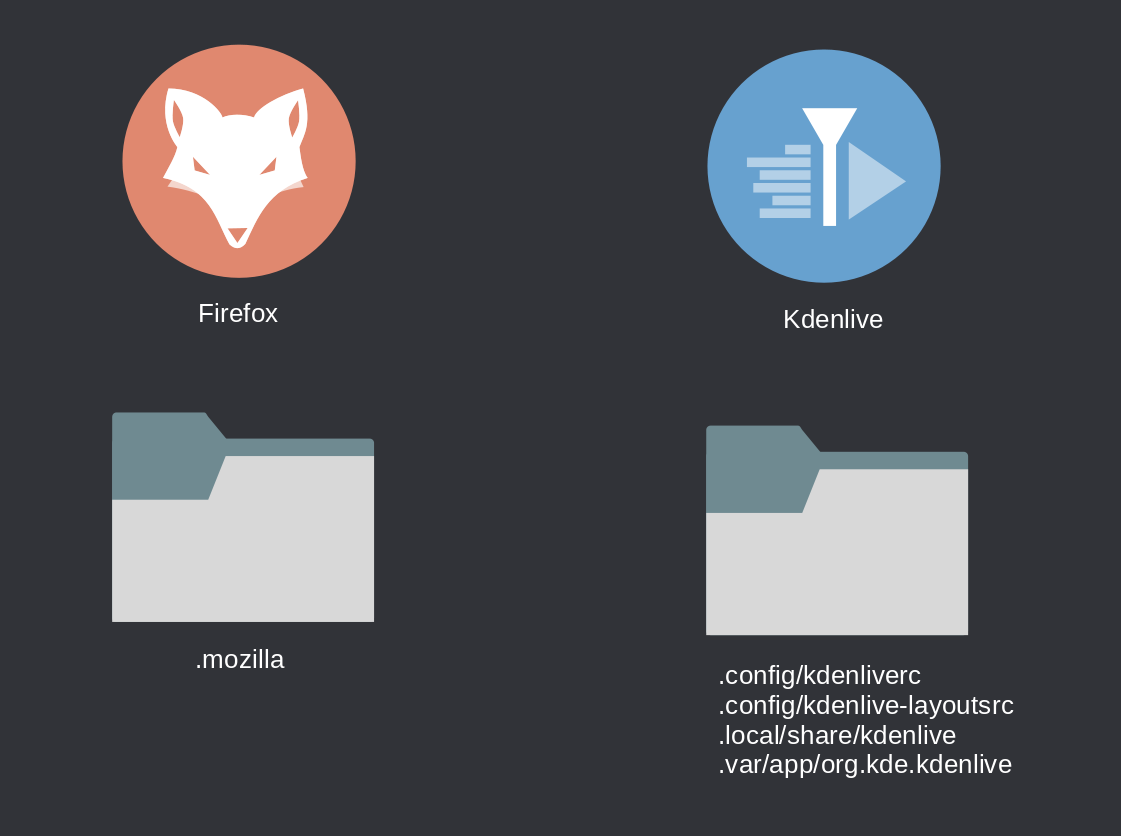
ʻO ka waihona hope loa no Kdenlive mai ka hoʻokomo ʻana i ka mana Flatpak. No laila inā ʻoe e hoʻohana i nā polokalamu paʻamau a me nā ʻano flatpak, loaʻa iā lākou nā waihona kaʻawale. Hoʻohana ka hapa nui o nā polokalamu i ka waihona .config ma kāu papa kuhikuhi Home e mālama i ka ʻikepili o nā polokalamu, akā ʻaʻole mahalo kekahi i kēia. No laila e makaʻala i kēlā.
3. HANA: e kiʻi i ka papa inoa o kāu mau polokalamu
Now that you understand the above, all you have to do is to get a list of your installed apps. Thing is, in Linux, can be difficult to distinguish between an app and a package. For example gnome-shell is a package that has to do with the Gnome desktop, basically making it work as a desktop. You do not need that anymore. So the best would be to manually create a list of the apps you have installed. I had a few hundreds and the way I did it was to take screenshots of the menu where the apps were. As primitive as that, but if you do not have many apps then you can easily make a list with them.
Or you can go the fast and fancy terminal way. Open the terminal and paste: pacman -Qqe . E papa inoa kēia i nā pūʻolo a pau āu i hoʻokomo lima ai. E koho iā lākou a pau a mālama iā lākou i kahi palapala kikokikona.
Paipai au e hana ʻelua. I ka hopena o ka lā, ʻo ka mea āu e makemake ai e hoʻomanaʻo i nā polokalamu āu i kau ai. E nānā naʻaupō iaʻu, ua hoʻopaʻa wau i kaʻu pale i ka wā e hele ana i nā polokalamu āpau i loaʻa iaʻu, e like me ke ʻano o ka mālama ʻana inā pono iaʻu.
4. Hana: hoʻopaʻa i kāu mau hoʻonohonoho a me nā faila
ʻIke ʻoe he hewa nā polokalamu a mālama i kā lākou mau hoʻonohonoho i ka mea ʻike i ka wahi i loko o kāu waihona Home, a me ka ʻike inā loaʻa iā ʻoe nā faila ma kāu ʻōnaehana (kiʻi, wikiō, he aha-ʻaʻole) aia lākou i loko o ka waihona Home hoʻokahi, a laila kope i kāu waihona Home āpau i kahi kaʻa waho. Mai poina ma mua o kou hana ʻana e koho e hōʻike i nā faila huna. Makemake ʻoe e kope i nā mea a pau!
5. E hoʻokomo a hoʻihoʻi hou
I kēia manawa ua loaʻa iā ʻoe kahi papa inoa o kāu mau polokalamu a ua kope ʻia kāu waihona Home i kahi kaʻa waho, e hele a hopu i ka TROMjaro XFCE ISO hou loa mai maanei a hoʻokomo e like me kāu e hana mau ai. Ke hoʻokomo ʻia kāu ʻōnaehana hoʻomaka e hoʻokomo i kāu mau polokalamu. E ʻimi iā lākou ma Add/Remove Software, koho no ka hoʻouka ʻana, a laila E noi.
NOTE: In order for everything to work smooth, make sure you use the same exact username for the new install. It will make things a lot easier to restore.
WARNING! Do not blindly install every package from the list you got from the terminal. Make sure you know what you are installing else you end up reinstalling Gnome if you install packages like gnome-shell. Also, a few Gnome specific apps like Gnome Calendar, Gnome Contacts and the like, may install a lot of Gnome dependencies so avoid installing them. Overall you should install the apps you normally use.
Once you installed the apps, copy their settings files and your own files to the same Home locations. Do not blindly copy the entire Home folder over the new one!
So if you want to restore Firefox simply copy the .mozilla folder from your backed-up Home to the new one. If you see the same folder in the new Home folder, delete it first. If Firefox does not work, search inside of that .mozilla folder for a file called “lock” and delete it. It is a Firefox safety feature.
All in all, take it easy and try to do it one by one. Install the apps, and copy their config folders/files to the same locations.
We are available via our Matrix chat #tromjaro:matrix.trom.tf so ask us if you have any questions.
RECAP
– Save a list of your installed apps
– Save your entire Home folder to an external drive (including the hidden files)
– Install the new TROMjaro
- E hoʻouka hou i kāu mau polokalamu, i kekahi manawa, a e ʻike pono ʻoe i kāu mea e kau nei
- E kope i nā waihona hoʻonohonoho / faila no nā polokalamu āu i hoʻokomo ai, i ko lākou mau wahi e pili ana (e ʻike i kahi o lākou i ka waihona Home kumu, a kope iā lākou i ka waihona Home hou, ma ka wahi like)
- A ʻoiaʻiʻo, kope i kāu mau faila pilikino mai ka waihona Home like āu i mālama ai
Nā polokalamu like:
ʻaʻohe polokalamu pili.