


ટાઈમશિફ્ટ
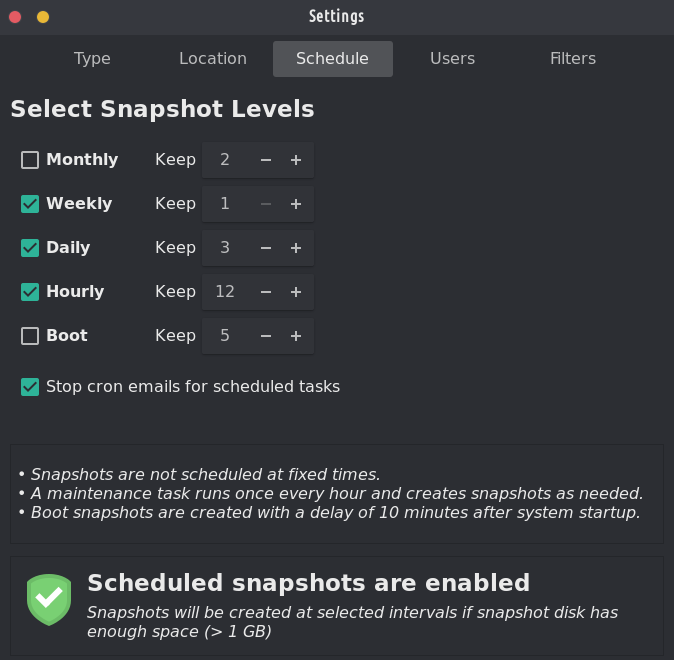
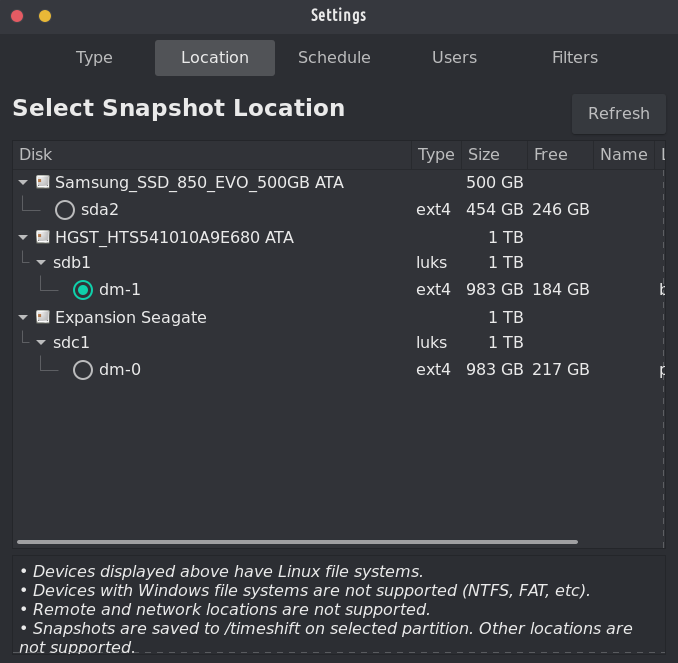
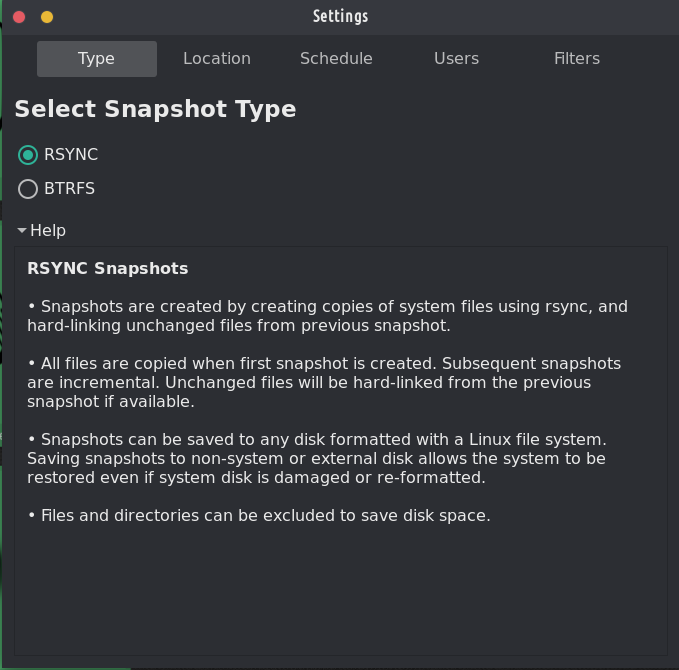
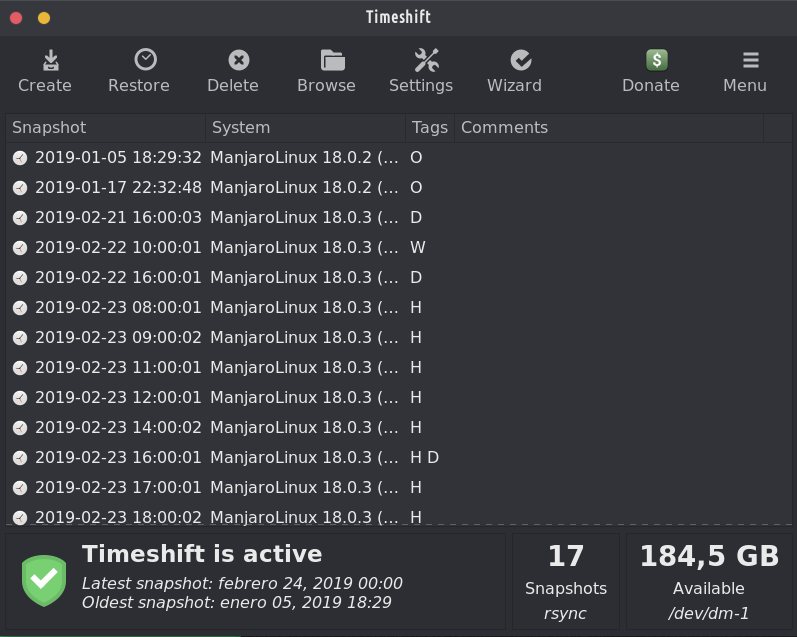
વર્ણન:
Linux માટે સિસ્ટમ રિસ્ટોર ટૂલ. Creates filesystem snapshots using rsync+hardlinks, or BTRFS snapshots. Supports scheduled snapshots, multiple backup levels, and exclude filters. Snapshots can be restored while system is running or from Live CD/USB.
Linux માટે Timeshift એ એક એપ્લિકેશન છે જે Windows માં સિસ્ટમ રિસ્ટોર સુવિધા અને Mac OS માં ટાઇમ મશીન ટૂલ જેવી જ કાર્યક્ષમતા પ્રદાન કરે છે. Timeshift protects your system by taking incremental snapshots of the file system at regular intervals. These snapshots can be restored at a later date to undo all changes to the system.
In RSYNC mode, snapshots are taken using rsync and hard-links. Common files are shared between snapshots which saves disk space. Each snapshot is a full system backup that can be browsed with a file manager.
In BTRFS mode, snapshots are taken using the in-built features of the BTRFS filesystem. BTRFS snapshots are supported only on BTRFS systems having an Ubuntu-type subvolume layout (with @ and @home subvolumes).
Timeshift is similar to applications like rsnapshot, BackInTime and TimeVault but with different goals. It is designed to protect only system files and settings. User files such as documents, pictures and music are excluded. This ensures that your files remains unchanged when you restore your system to an earlier date.




તે TROM-Jaro પર અને સારા કારણોસર બે પૂર્વ-ઇન્સ્ટોલ કરેલ બેકઅપ પ્રોગ્રામ્સમાંથી એક છે: તે સેટ કરવું સરળ છે અને જ્યારે તમે તમારી સિસ્ટમને સંપૂર્ણપણે તોડી નાખો ત્યારે પણ તે તમારા મૂર્ખને બચાવશે. તે તમારી સિસ્ટમનો બેકઅપ લેવા માટે સંપૂર્ણ રીતે રચાયેલ છે, તમારી ફાઇલોને નહીં. તેને સેટ કરવામાં થોડી મિનિટો લાગે છે અને જ્યાં સુધી તમને તેની ખરેખર જરૂર નથી ત્યાં સુધી તમે તેના વિશે ભૂલી જશો.
બેકઅપ પુનઃસ્થાપિત કરવા માટે ટાઇમશિફ્ટ ખોલવા જેટલું જ સરળ છે, તમારે કયો સ્નેપશોટ જોઈએ છે તે પસંદ કરો અને પુનઃસ્થાપિત કરો ક્લિક કરો. જો તમારી સિસ્ટમ બૂટ ન થાય (તમે ખરેખર તમારી સિસ્ટમમાં ગડબડ કરી હોય), તો ફક્ત TROM-Jaro સાથે USB પ્લગ ઇન કરો, તેમાં બૂટ કરો અને તે જ કરો: ટાઇમશિફ્ટ ખોલો અને રિસ્ટોર પસંદ કરો (હવે તમારા બેકઅપ્સ ક્યાં સાચવવામાં આવે છે તે પસંદ કરો) અને તમારી સિસ્ટમને પુનઃસ્થાપિત કરો.
All in all, this program it is A MUST! No Linux distribution should ship without it.
અને "timeshift-autosnap" ઇન્સ્ટોલ કરેલ ટાઇમશિફ્ટ સિસ્ટમના કોઈપણ અપડેટ પહેલા ઓટો-બેકઅપ કરે છે. કોઈપણ સેટઅપની જરૂર નથી.
That is the live usb password though. મારે તે સ્પષ્ટ કરવું જોઈએ કે હું જાણું છું.
@ટ્રોમ ટાઈમશિફ્ટ એ સોફ્ટવેરનો એક અદ્ભુત ભાગ છે જેના પર્યાપ્ત વખાણ નથી થતા. Backups aren't sexy but are crucial.
દૂરસ્થ જવાબ
મૂળ ટિપ્પણી URL
તમારી પ્રોફાઇલ
Why do I need to enter my profile?
આ સાઇટ ⁂ ઓપન સોશિયલ વેબનો એક ભાગ છે, જે એકબીજા સાથે જોડાયેલા સામાજિક પ્લેટફોર્મ્સનું નેટવર્ક છે (જેમ કે માસ્ટોડોન, પિક્સેલફેડ, ફ્રેન્ડિકા અને અન્ય). કેન્દ્રિય સામાજિક મીડિયાથી વિપરીત, તમારું એકાઉન્ટ તમારી પસંદગીના પ્લેટફોર્મ પર રહે છે, અને તમે વિવિધ પ્લેટફોર્મ પરના લોકો સાથે સંપર્ક કરી શકો છો.
By entering your profile, we can send you to your account where you can complete this action.