

શેર ફાઇલો વેપાર મુક્ત
ઈમેજીસ, વિડીયો, ઓડિયો ફાઈલ, ટેક્સ્ટ….એપ્લીકેશન, આર્કાઈવ….આપણે ડીજીટલ બ્રહ્માંડમાં ફાઈલો કેવી રીતે શેર કરી શકીએ? ડ્રૉપબૉક્સ, Google ડ્રાઇવ અથવા iCloud જેવી લોકપ્રિય સેવાઓ કાર્ય માટે "જાવાનો માર્ગ" લાગે છે. જો કે, તેઓ તમને તેમના "પ્રો" અથવા "પ્રીમિયમ" એકાઉન્ટ્સ માટે સબ્સ્ક્રાઇબ કરવા માટે ચલણ વેપાર (જેમ કે પૈસા), ડેટા, ધ્યાન (જાહેરાતો અને પ્રચારો) અથવા કૃત્રિમ મર્યાદાઓ જેવા ઘણા સોદા માટે પૂછે છે. તમારે તેમની સાથે ઘણો વેપાર કરવો પડશે, તેમને તમારું ચલણ, ડેટા, ધ્યાન, ગોપનીયતા આપો અથવા તેમની સેવાઓનો ઉપયોગ કરવા માટે તેમની સાથે નોંધણી કરો.
આ રહ્યા ફરી આના અને બુબુ. તેઓ એકબીજા સાથે ફાઈલો શેર કરવા માંગે છે. તેમના ફોટા અને વિડિયો અથવા તેનાથી ઘણું વધારે. આટલું જ તેઓ ઇચ્છે છે અને વિશ્વ તેમની વચ્ચે રહે છે. તેઓ તે કેવી રીતે કરી શકે છે?

જો તેઓ તેમાંથી કોઈ એક લોકપ્રિય ફાઇલ શેરિંગ પ્લેટફોર્મનો ઉપયોગ કરશે, તો અનાએ તેમાંથી એક સાથે નોંધણી કરાવવી પડશે અને તે કંપનીમાં ઘણો વેપાર કરવો પડશે, અને તેઓ તેને મંજૂરી આપે તે પછી, Ana બ્રાઉઝર અથવા ડેસ્કટોપ/મોબાઇલ એપ્લિકેશન દ્વારા તે કંપનીના સર્વર પર ફાઇલો અપલોડ કરી શકે છે. તે કેટલીકવાર સેવાના આધારે, બુબુ સાથે ફાઇલોને કસ્ટમ લિંક દ્વારા શેર કરી શકે છે જે તેણીએ તેને ઇમેઇલ અથવા અન્ય કોઈપણ પદ્ધતિઓ દ્વારા મોકલવાની હોય છે. કેટલીકવાર તે જરૂરી છે કે ફાઇલો મેળવવા માટે બુબુનું એક જ કંપનીમાં ખાતું હોવું જોઈએ. આ રીતે મોટાભાગના લોકો ફાઈલો શેર કરે છે. અના એક કંપની સાથે નોંધણી કરવા અને વેપાર કરવા માટે બહુ-પગલાની પ્રક્રિયામાંથી પસાર થાય છે, પછી ફોટા તેમના સર્વર પર મેન્યુઅલી અપલોડ કરવા અથવા તેમની ડેસ્કટોપ એપ્લિકેશન ડાઉનલોડ કરવા અને ઇન્સ્ટોલ કરવા માટે, અને પછી બુબુને લિંક મોકલવા માટે ઇમેઇલ જેવી 3જી પક્ષ પદ્ધતિનો ઉપયોગ કરે છે. બુબુને ફાઇલો પ્રાપ્ત કરવા માટે સમાન ડેસ્કટોપ એપ્લિકેશન અથવા કેટલીકવાર ફક્ત બ્રાઉઝરની જરૂર પડી શકે છે (તેમને ડાઉનલોડ અથવા સમન્વયિત કરો).
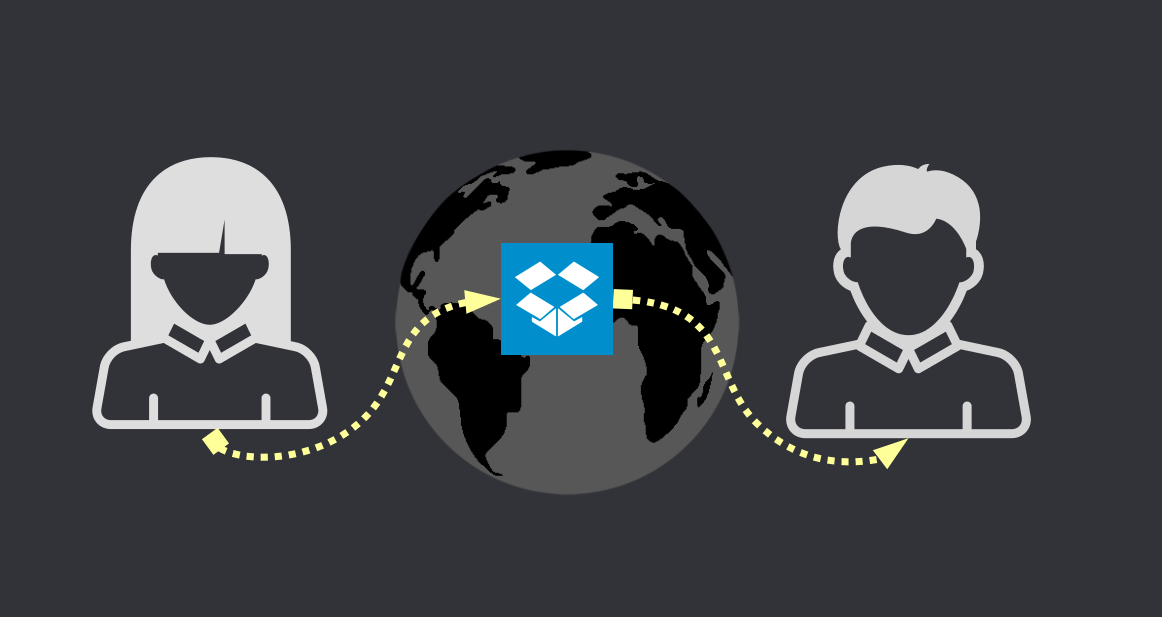
ઘણા બધા સોદાઓ કે જે તેમને કરવા માટે ફરજ પાડવામાં આવે છે તેની ટોચ પર, તેમની ફાઇલો કંપની દ્વારા 100% નિયંત્રિત થાય છે. જો કંપની નક્કી કરે છે કે ફાઇલો "ઓકે" નથી (ગેરકાયદેસર અથવા ગમે તે તેઓ તેને કહી શકે), તો કંપની ફાઇલોને દૂર કરશે. કંપની જો ઇચ્છે તો એનાના નગ્ન ફોટા અથવા બુબુની પ્રેમ કવિતાઓ પણ જોઈ શકે છે જે તે એનાને ટેક્સ્ટ દસ્તાવેજો તરીકે મોકલે છે. તેમની ફાઈલ શેરિંગ સોદાઓથી અપંગ છે અને કંપનીના નિયમો અને "નૈતિકતા" માટે સંપૂર્ણપણે ગુલામ છે. અન્ય કંપનીઓ જેમ કે WeTransfer વપરાશકર્તાઓને તેમના સર્વર પર X GB સુધીની ફાઇલો અપલોડ કરવા અને વપરાશકર્તાઓને કોઈ પૈસા ચૂકવ્યા વિના અથવા તેમની સાથે એકાઉન્ટ રજીસ્ટર કર્યા વિના અન્ય લોકો સાથે અપલોડ શેર કરવાની મંજૂરી આપીને મફત હોવાનો ડોળ કરે છે. જો કે, જેમ તમે અત્યાર સુધીમાં સમજી શકો છો, આ વેપાર-મુક્ત નથી કારણ કે તે ઘણીવાર જાહેરાતો અને ડેટા માઇનિંગ તકનીકોથી ભરેલા હોય છે.
તો પછી, અના કેવી રીતે મોટી માત્રામાં ફાઇલો (કદાચ અમર્યાદિત) બુબુ સાથે વેપાર-મુક્ત રીતે શેર કરી શકે?
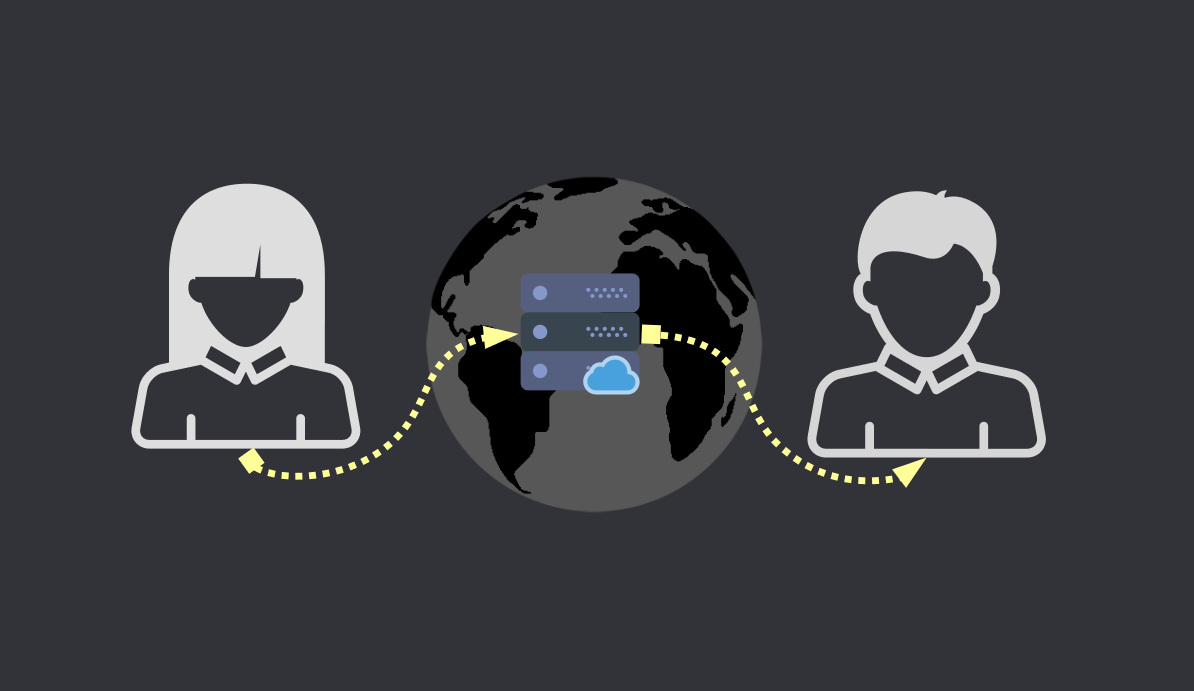
સારમાં ફાઈલો ઓનલાઈન શેર કરવાની બે મુખ્ય રીતો છે. પ્રથમ, ક્લાસિક "સર્વર પર અપલોડ કરો" શૈલી. અને આ સર્વર સ્ટોરેજ સિસ્ટમ તરીકે કામ કરે છે. તે ફાઇલોને સંગ્રહિત કરે છે અને અન્ય વ્યક્તિઓ તેને કોઈપણ સમયે ઍક્સેસ કરી શકે છે. આવી સિસ્ટમના ફાયદા એ છે કે ફાઇલો હંમેશા ઉપલબ્ધ હોય છે. સૌથી મોટું નુકસાન એ છે કે ફાઈલ શેરિંગનું કેન્દ્રિયકરણ એક મોટી જવાબદારી સાથે આવે છે અને તમે ક્યારેય જાણતા નથી કે આ સર્વર્સ પાછળ કોણ છે અથવા તેઓ તમારી ફાઇલો સાથે શું કરે છે. ઉપરાંત, આવી મોટાભાગની સેવાઓ સ્ટોરેજ સ્પેસના સંદર્ભમાં મર્યાદિત છે.
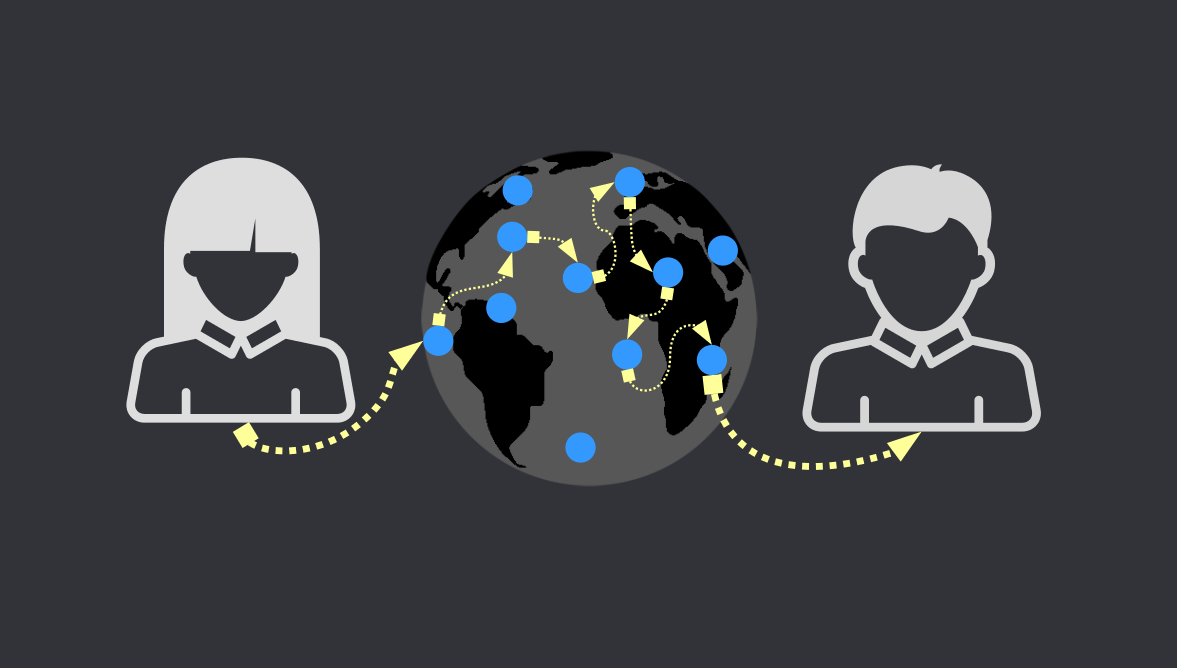
બીજી રીત "નોડ્સ" માર્ગ છે. બહુવિધ સર્વર્સ અથવા લોકોના કમ્પ્યુટર્સ એકબીજા સાથે કનેક્શન બનાવે છે, અને જ્યારે અના કંઈક શેર કરે છે ત્યારે નોડ્સ ફક્ત તેને બુબુ સાથે જોડે છે, ત્યારબાદ બંને વચ્ચે ફાઇલોના સીધા ટ્રાન્સફરની મંજૂરી આપવા માટે. નોડ્સ કોઈપણ ફાઇલોને વાંચવા/એક્સેસ કરવામાં સક્ષમ ન હોવા જોઈએ જે બે મોકલી રહ્યાં છે.
સ્તર 1: પ્રમાણિક વેટ્રાન્સફર
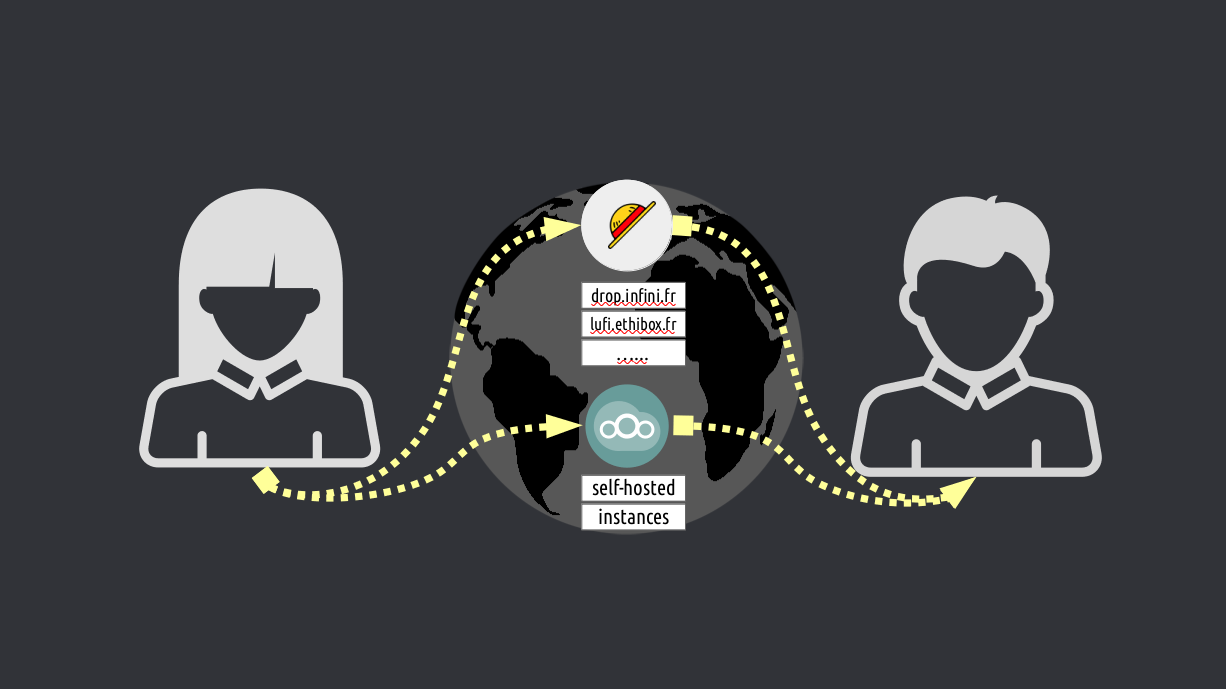
એક સરળ ઉકેલ એ એક પ્રકારનું WeTransfer છે જે વેપાર-મુક્ત છે. ફુગ્ગા આવો જ એક વિકલ્પ છે. સોફ્ટવેરનો એક ઓપન સોર્સ ભાગ કે જે કોઈપણ વ્યક્તિ પોતાના સર્વર પર ઇન્સ્ટોલ કરી શકે છે અને ટ્રેડ-ફ્રી WeTransfer બનાવી શકે છે. અહીં કેટલાક લુફી ઉદાહરણો છે જે તમને ફક્ત ફાઇલો અપલોડ કરવા દે છે અને પછી URL કોપી કરી અને તમે ઇચ્છો તેની સાથે શેર કરો. કોઈ બુલશીટ. કોઈ જાહેરાતો નથી. કોઈ ડેટા માઇનિંગ નથી. અને એન્ક્રિપ્ટેડ છે, જેથી તમે જે અપલોડ કરી રહ્યાં છો તે આવી કોઈ ઘટના વાંચી ન શકે. વધુ જટિલ પરંતુ સંપૂર્ણ સુવિધાયુક્ત ઉકેલ છે નેક્સ્ટક્લાઉડ. આ ફાઇલો (વર્ઝનિંગથી લઈને બેકઅપ અથવા સ્વચાલિત સમન્વયન સુધી) પર ઉત્તમ નિયંત્રણ માટે પરવાનગી આપે છે. જો કે, જ્યાં સુધી એના ખરેખર તેના પોતાના કમ્પ્યુટર પર નેક્સ્ટક્લાઉડને કેવી રીતે ઇન્સ્ટોલ કરવું અને ચલાવવું અને તેના કમ્પ્યુટરને નેટવર્કમાં કેવી રીતે રૂપાંતરિત કરવું તે જાણતી નથી, તો અના અન્ય સર્વર્સની દયા પર છે (જેમ કે લુફીના કિસ્સામાં) જે વેપાર-મુક્ત (અને મર્યાદિત) નેક્સ્ટક્લાઉડ પ્રદાન કરી શકે છે. દાખલાઓ. આ ખૂબ જ દુર્લભ છે કારણ કે નેક્સ્ટક્લાઉડ એ એક સરળ ફાઇલ-શેરિંગ અને હોસ્ટિંગ સેવા કરતાં વધુ છે, તેથી તેને ઘણી બધી સર્વર પાવરની જરૂર છે. "મફત" નેક્સ્ટક્લાઉડ ઇન્સ્ટન્સ પ્રદાન કરતા દાખલાઓ પણ, ઘણીવાર વધુ સ્ટોરેજ અથવા "પ્રીમિયમ" સુવિધાઓ માટે ચાર્જ કરે છે, તેથી તે ખરેખર વેપાર-મુક્ત નથી. સારમાં, હા, ત્યાં પ્રામાણિક WeTransfer સેવાઓ છે જે તમને ફાઇલોને વેપાર-મુક્ત શેર કરવાની મંજૂરી આપે છે. પરંતુ તેઓ સ્ટોરેજ સ્પેસના સંદર્ભમાં મર્યાદિત છે.
લેવલ 2: વિકેન્દ્રિત ડ્રૉપબૉક્સ
ફાઇલોની અમર્યાદિત રકમ શેર કરવાની શ્રેષ્ઠ રીત એ છે કે ફાઇલોને એકથી બીજામાં સીધી ટ્રાન્સફર કરવી. અના અને બુબુ વચ્ચેનો પુલ શોધીને ગાંઠો તે જ કરે છે. તેથી જ્યારે અના બુબુને ફાઇલ મોકલે છે, ત્યારે ગાંઠો બંનેને જોડે છે. સૌથી મોટી ખામી એ છે કે ફાઈલો ટ્રાન્સફર કરવા માટે અના અને બુબુ બંનેએ ઓનલાઈન હોવું જરૂરી છે. પરંતુ આ દિવસોમાં આપણે હંમેશા ઇન્ટરનેટ સાથે જોડાયેલા હોવાથી, કદાચ આ એક મોટો ગેરલાભ નથી. તમે જે ફાઇલો શેર કરી રહ્યાં છો તેમાંથી કોઇપણ કોઇપણ ફાઇલને ડિલીટ કરી શકશે નહીં તે ધ્યાનમાં રાખીને, આ પદ્ધતિ અત્યાર સુધીની સૌથી અનુકૂળ છે. આ પદ્ધતિને ઑફલાઇન પૅકેજ ડિલિવરી સેવા (જેમ કે ટપાલ સેવા) તરીકે વિચારો. આના બુબુને પેકેજ મોકલે છે અને પોસ્ટલ ઓફિસ અથવા પેકેજ ડિલિવરી સેવા તેને ખોલ્યા વિના જ આનાથી બુબુને પેકેજ મેળવી રહી છે. આ રીતે તે થવું જોઈએ. જેમ કે Google ડ્રાઇવર અથવા ડ્રૉપબૉક્સ તે કરી રહ્યાં છે તેમ નથી, પેકેજ ખોલીને અને કોઈપણ સામગ્રીને દૂર કરીને જે તેઓ "ખોટી" માને છે. આ લેવલ 2 ફાઇલ-શેરિંગનો શ્રેષ્ઠ ભાગ એ છે કે પેકેજ ડિલિવરી કરતી સેવા ઘણી વખત પેકેજના કદને પણ જાણતી નથી, અથવા અના અથવા બુબુ કોણ છે.
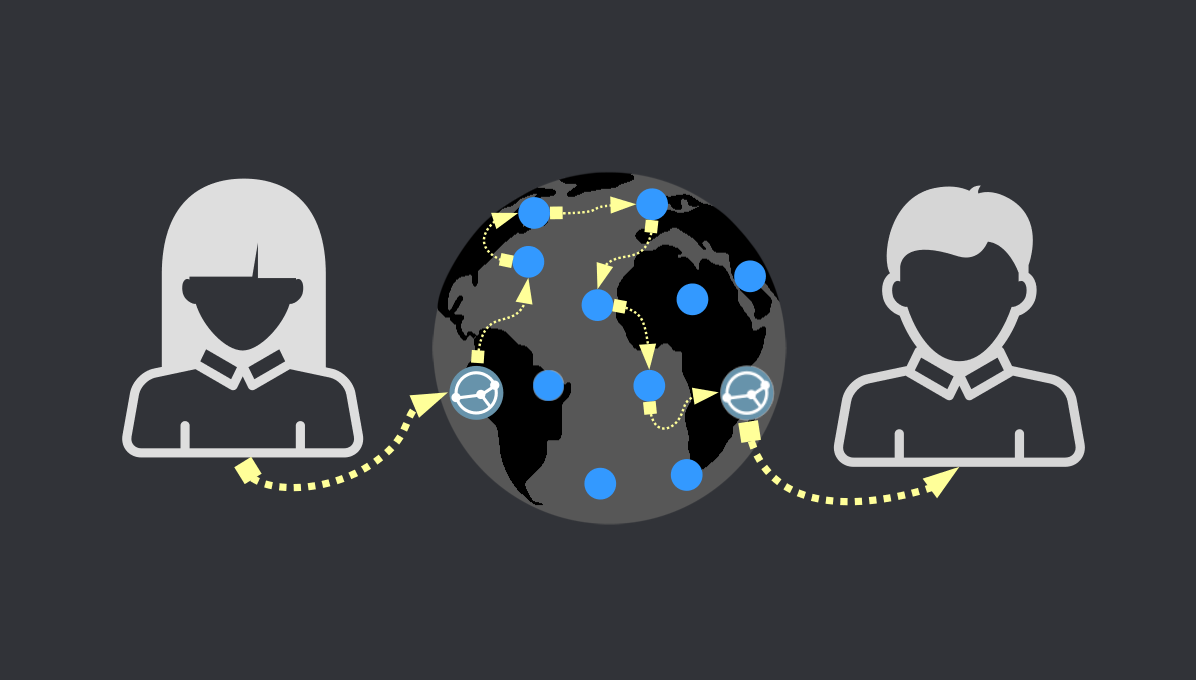
તેથી, જ્યારે ફાઇલ શેરિંગની વાત આવે છે ત્યારે સર્વર્સ પરની નિર્ભરતા (કેન્દ્રીયકૃત માધ્યમ) તમે કેટલી ફાઇલો શેર કરી શકો છો અથવા કયા પ્રકારની, તેના સંદર્ભમાં મર્યાદિત હશે, ભલે આપણે વેપાર-મુક્ત સેવાઓ વિશે વાત કરી રહ્યા હોય. શ્રેષ્ઠ અભિગમ એ અના અને બુબુને સીધો જોડવાનો છે, એક બિંદુ દ્વારા નહીં, પરંતુ બહુવિધ (નોડ્સ તરીકે). આ રીતે અના બુબુને ગમે તેટલા નગ્ન ફોટા અને ખગોળશાસ્ત્રના ફોટા અને વિડિયો મોકલી શકે છે, અને કોઈ પણ તેને સુંઘી શકશે નહીં અથવા તે કેટલા મોકલી શકશે તે મર્યાદિત કરી શકશે નહીં.
વેપાર મુક્ત વિકલ્પો
નીચે અમે TROMjaro માટે કેટલીક વેપાર-મુક્ત એપ્લિકેશનોની ભલામણ કરીશું જે Ana અને Bubu ને એકબીજા સાથે ફાઇલો શેર કરવાની મંજૂરી આપે છે. અમે તેમાંના દરેક માટે 4 મુખ્ય લાક્ષણિકતાઓ પર ભાર આપીશું:
ઉપયોગની સરળતા
ખાનગી
વિશ્વસનીય
ડાયનેમિક

સિન્થિંગ કદાચ શ્રેષ્ઠ ફાઇલ-શેરિંગ એપ્લિકેશન છે. વાપરવા માટે ખૂબ જ સરળ છે, કારણ કે તમારે ફક્ત તમારી ID ને તમારા મિત્ર સાથે શેર કરવાનું છે, પછી તમે કનેક્ટેડ છો. આગળનું સરળ પગલું તમારી શેરિંગ સૂચિમાં ફોલ્ડર ઉમેરવાનું છે, અને પછી આ ફોલ્ડરને તમારા મિત્ર સાથે શેર કરો. કહો કે તમે તમારા કમ્પ્યુટર પર એક નવું ફોલ્ડર બનાવો છો અને તેને "બુબુ" નામ આપો. તેને Syncthing માં ઉમેરો અને તેને તમારા મિત્ર સાથે શેર કરો. તમે "બુબુ" ફોલ્ડરમાં જે પણ ઉમેરશો તે આપમેળે તમારા મિત્ર સાથે શેર કરવામાં આવશે અને તેના/તેણીના કમ્પ્યુટર પર કૉપિ કરવામાં આવશે. તેટલું સરળ. તેની ટોચ પર સિંકિંગ ફાઇલોની આવૃત્તિઓ રાખી શકે છે, તેથી જો તમે કોઈપણને કાઢી નાખો છો અથવા બદલો છો, તો તે તેનો બેકઅપ રાખશે.
સિન્થિંગ TROMjaro પર પ્રી-ઇન્સ્ટોલ કરેલું આવે છે કારણ કે તે વાપરવા માટે ખૂબ જ સરળ છે, તે ખાનગી છે (નોડ્સના કનેક્શન્સ એન્ક્રિપ્ટેડ છે), તે અત્યંત વિશ્વસનીય અને ખૂબ જ ગતિશીલ છે કારણ કે તે કોઈપણ ફાઈલોમાં તમામ ફેરફારોને આપમેળે સમન્વયિત કરે છે. તેનો ઉપયોગ બેકઅપ માટે પણ થઈ શકે છે. Syncthing નું એકમાત્ર નુકસાન એ છે કે તે "પબ્લિક શેર્સ" ને સમર્થન આપતું નથી - જેમ કે "લિંક" અથવા સાર્વજનિક તરીકે બહુવિધ લોકો સાથે કંઈક શેર કરવું. તમે તેમની સાથે ફાઇલો શેર કરી શકો તે માટે લોકોને એક પછી એક તમારી સાથે કનેક્ટ થવાની જરૂર છે. આમ, સમન્વયન ખાનગી ફાઇલ શેરિંગ તરફ ધ્યાન કેન્દ્રિત કરે છે.

Amule એક એપ્લિકેશન છે જે તમને ઍક્સેસ કરવા દે છે ED2K નેટવર્ક તે ફાઈલ શેરિંગ, ચેનલો અને ચેટ્સ અને વધુ માટે તૈયાર છે. તેથી "ઉપયોગની સરળતા" એટલી સારી નથી કે જો તમે ફક્ત તમારા મિત્રો સાથે કેટલીક ફાઇલો શેર કરવા માંગો છો. જો કે તમે ED2K નેટવર્ક પરની કોઈપણ વ્યક્તિ સાથે અથવા નેટવર્ક માટે ક્લાયંટ ધરાવતા કોઈપણ સાથે ફાઇલોને સાર્વજનિક રીતે શેર કરી શકો છો. તે તમારા મિત્ર સાથે "લિંક" શેર કરવા અને તેને અમુલ સાથે ખોલવા જેટલું સરળ હોઈ શકે છે. વિશ્વસનીયતા એટલી મહાન નથી અને અમને ખબર નથી કે નોડ્સ (સર્વર) વચ્ચેનું જોડાણ એન્ક્રિપ્ટેડ છે કે કેમ. પરંતુ તમે અમુલ સાથે ગમે તેટલી ફાઈલો અને ફોલ્ડર્સ શેર કરી શકો છો અને તેના ઉપર તે આ ફોલ્ડર્સમાં થયેલા ફેરફારો પર નજર રાખશે અને તેને આપમેળે અપડેટ કરશે (આમ, તે ગતિશીલ છે).

ટ્રાન્સમિશન એ છે BitTorrent ગ્રાહક ત્યાંના સૌથી વિશ્વસનીય નેટવર્ક્સમાંનું એક. ટ્રાન્સમિશન સાથે ફાઇલો શેર કરવા માટે તમારે ફાઇલ અથવા ફોલ્ડરમાંથી "ટોરેન્ટ" ફાઇલ બનાવવી પડશે. તેથી કહો કે તમે અના સાથે ફોલ્ડર શેર કરવા માંગો છો, તમે ફોલ્ડરને ટ્રાન્સમિશનમાં ઉમેરો અને પછી તમારે સૂચિમાં મેન્યુઅલી "ટ્રેકર્સ" (નોડ્સ) ઉમેરવા પડશે. જો તમે આનાથી પરિચિત ન હોવ તો તમને તે ખૂબ જ મુશ્કેલ લાગશે કારણ કે તમારા ફોલ્ડરને Ana દ્વારા "શોધવામાં" આવે તે માટે તમારે આ મુખ્ય વસ્તુ કરવી પડશે. જો તમે આ કરવા માટે મેનેજ કરો છો, તો ફોલ્ડરને લિંક (મેગ્નેટ) દ્વારા અથવા ફાઇલ (ટોરેન્ટ) દ્વારા શેર કરવું ખૂબ જ સરળ છે, બંને તમારી વચ્ચે ટનલ તરીકે કાર્ય કરે છે. અના તમે તેને આપેલી લિંકને ટ્રાન્સમિશનમાં ખૂબ જ સરળતાથી કોપી કરી શકે છે અને ડાઉનલોડ શરૂ થશે.
ટ્રાન્સમિશન, બધા BitTorrent ક્લાયંટની જેમ, ગતિશીલ નથી. જો તમે કોઈ ફોલ્ડર શેર કરો છો, તો તે જ તમે શેર કરો છો. ફોલ્ડરમાં કોઈપણ ફેરફારો Ana પર દબાણ કરવામાં આવશે નહીં. તમારે દરેક ફેરફાર સાથે પ્રક્રિયાને પુનરાવર્તિત કરવી પડશે. ટ્રાન્સમિશન વન-ટાઇમ-શેર માટે તૈયાર છે. જો તમે વિશ્વ સાથે બિન-ડાયનેમિક ફોલ્ડરને સાર્વજનિક રૂપે શેર કરવા માંગતા હો, તો BitTorrent એ તે કરવાની શ્રેષ્ઠ રીત છે, અને જો તમે ટ્રેકર્સ શું છે અને તેને કેવી રીતે ઉમેરવું તે સમજતા હોવ તો ટ્રાન્સમિશન એ ક્લાયંટનો ઉપયોગ કરવા માટે ખૂબ જ સરળ છે.

WebTorrent એ અન્ય BitTorrent ક્લાયન્ટ છે, પરંતુ આ બધાનો ઉપયોગ કરવા માટે કદાચ સૌથી સરળ છે. ફરીથી, તે ડાયનેમિક ફોલ્ડર્સને સપોર્ટ કરતું નથી અને અમે જાણતા નથી કે નોડ્સના કનેક્શન્સ એનક્રિપ્ટેડ છે કે કેમ, પરંતુ ફોલ્ડર/ફાઈલ શેર કરવી એ "શેર ફોલ્ડર" અથવા "શેર ફાઇલ" પર ક્લિક કરવા જેટલું સરળ છે. WebTorrent તેની જાતે BitTorrent ટ્રેકર્સ ઉમેરે છે તેથી તમારે ફક્ત મેગ્નેટ લિંક અથવા ટોરેન્ટ ફાઈલ તમારા મિત્ર(મિત્રો) સાથે શેર કરવાની છે.

આ DAT નેટવર્ક એક નવું અને ખૂબ જ રસપ્રદ નેટવર્ક છે. તે લોકોને વિકેન્દ્રિત રીતે અન્ય લોકો સાથે જોડાવા માટે પરવાનગી આપે છે. કારણ કે તે હજુ પણ નવું છે, તે ખૂબ વિશ્વસનીય નથી અને જોડાણો હંમેશા સ્થાપિત થતા નથી. પરંતુ જ્યારે તે કામ કરે છે, ત્યારે DAT ડેસ્કટોપ ફાઇલોને શેર કરવા અને પ્રાપ્ત કરવાનું અત્યંત સરળ બનાવે છે, કારણ કે તે આ એપ્લિકેશનનો એકમાત્ર હેતુ છે. તે સાથીદારો વચ્ચેના જોડાણોને એન્ક્રિપ્ટ કરે છે અને તે ગતિશીલ ફોલ્ડર્સને સપોર્ટ કરે છે.
તેથી, Ana સાથે શેર કરવા માટે એક ફોલ્ડર પસંદ કરો અને પછી તેણીને અનન્ય DAT url મોકલો જેથી તે તેને DAT ડેસ્કટોપ સાથે પ્રાપ્ત કરી શકે. અને તમે તે ફોલ્ડરમાં જે પણ ફેરફારો કરશો, તે આપમેળે એનાના કમ્પ્યુટર પર ધકેલવામાં આવશે. તેટલું સરળ!

BiglyBT અન્ય BitTorrent ક્લાયન્ટ છે, પરંતુ તેનો ઉપયોગ કરવો વધુ જટિલ છે. જો કે તે વધુ વિકલ્પો આપે છે. કોઈ ડાયનેમિક ફોલ્ડર્સ નથી, પરંતુ સુરક્ષિત અને વિશ્વસનીય. જો Ana વધુ જટિલ રીતે ફાઇલોને શેર કરવા માટે BiglyBT નો ઉપયોગ કરવા માંગે છે (વિશિષ્ટ નિયમો અને આવા), તો તેના માટે BiglyBT એક સારું સાધન બની શકે છે. બાકી, અન્ય એપનો ઉપયોગ કરીને ફાઈલો શેર કરવી વધુ સારું છે.

રેટ્રોશેર ફાઇલ શેરિંગ એપ્લિકેશન કરતાં ઘણું વધારે છે. વાસ્તવમાં તે તેના માટે નથી, તે ઇમેઇલ, ચેટ્સ, ફોરમ્સ અને ફાઇલ શેરિંગ માટે પણ છે. તેથી, સરેરાશ વપરાશકર્તા માટે આ નેવિગેટ કરવું થોડું મુશ્કેલ હોઈ શકે છે જો તેમને ફક્ત ફાઇલો શેર કરવાની જરૂર હોય. જો કે તે ડાયનેમિક ફોલ્ડર્સને સપોર્ટ કરે છે, જે એક મોટી વત્તા છે જ્યારે તમે ફાઇલોને શેર કરવા માંગો છો જેને તમે બદલી શકો છો, અથવા તમે ફોલ્ડર શેર કર્યા પછી ફાઇલો ઉમેરવા/દૂર કરવા માંગો છો.
રેટ્રોશેર સાથીદારો વચ્ચે કનેક્શન સ્થાપિત કરવા માટે એટલું વિશ્વસનીય નથી તેથી તેના વિશે સાવચેત રહો. રેટ્રોશેરનો અદભૂત ભાગ એ છે કે તે કોઈપણ જાણીતા નેટવર્ક પર આધાર રાખતું નથી. તે તેની પોતાની વસ્તુ છે અને તે યોગ્ય રીતે-વિકેન્દ્રિત છે.

બીકર DAT નેટવર્કનો ઉપયોગ કરે છે અને DAT ડેસ્કટોપ એપ્લિકેશનની જેમ, તે તમામ સુવિધાઓ જેમ કે ડાયનેમિક ફોલ્ડર્સ અને એન્ક્રિપ્શન પ્રદાન કરે છે. તે DAT ડેસ્કટોપ જેટલું સરળ નથી કારણ કે બીકર એ ફાઇલ શેરિંગ એપ્લિકેશન કરતાં વધુ છે, તેથી તેનો ઉપયોગ કેવી રીતે કરવો તે સમજવામાં થોડો સમય લાગી શકે છે. જો કે બીકર વિશે એક સરસ બાબત એ છે કે તમે બીકરમાં ફાઇલોને ડાઉનલોડ કર્યા વિના સીધા જ પ્રીવ્યુ કરી શકો છો. તો કહો કે તમે બુબુ સાથે 30 વીડિયો શેર કરો છો. બુબુ ધ બીકર (ડીએટી) URL ને મોકલો અને બુબુ તેને બીકરમાં ખોલી શકે છે અને તેને ડાઉનલોડ કર્યા વિના કોઈપણ વિડિયો ચલાવી શકે છે. બીકર ખાનગી અથવા સાર્વજનિક રૂપે કંઈક શેર કરવા અને બંનેને સરળતાથી ઍક્સેસ કરવા માટે સંપૂર્ણ સંયોજન માટે પરવાનગી આપે છે.
કલ્પના કરો કે તમારી પાસે 5.000 ફોટા છે જે તમે વિશ્વ સાથે શેર કરવા માંગો છો. તમે બીકરને તે ફોલ્ડર તરફ નિર્દેશ કરો જ્યાં તમારી પાસે ફોટા સંગ્રહિત છે, અને પછી DAT URL ને વિશ્વ સાથે શેર કરો. લિંક ધરાવનાર કોઈપણ તમારા ફોટાને તેમના કમ્પ્યુટર પર ડાઉનલોડ કર્યા વિના બીકર સાથે જોઈ શકે છે. અને, જો તમે ફોટા ઉમેરો અથવા દૂર કરો, તો તમારે કંઈ કરવાની જરૂર નથી, તે જ URL નવા ફેરફારો દર્શાવવા માટે કામ કરશે. અલબત્ત, ફરીથી એ વાતનો ઉલ્લેખ કરવો યોગ્ય છે કે DAT નેટવર્ક 100% ભરોસાપાત્ર નથી તેથી કેટલીકવાર વપરાશકર્તાઓ વચ્ચે જોડાણ સ્થાપિત કરી શકાતું નથી.

OnionShare જાણીતા ઉપયોગ કરે છે TOR નેટવર્ક ફાઇલ શેરિંગ માટે, જે ખૂબ સરસ છે. ફાઇલ શેરિંગ આમ, અત્યંત ખાનગી અને તદ્દન વિશ્વસનીય છે. તેનો ઉપયોગ કરવો, ફાઈલ/ફોલ્ડરને શેર કરવા અથવા ડાઉનલોડ કરવા જેટલું સરળ છે. તમે ફોલ્ડર પસંદ કરો, પછી તે "સ્કેન" થાય તેની રાહ જુઓ જે તે ફોલ્ડરમાં ઘણી બધી ફાઈલો હોય તો લાંબો સમય લાગી શકે છે, અને એકવાર તે થઈ જાય પછી તમે TOR બ્રાઉઝરનો ઉપયોગ કરનાર કોઈપણને જનરેટ કરેલી લિંક શેર કરી શકો છો. બીકર એપ્લિકેશનની જેમ, ફાઇલોને ડાઉનલોડ કર્યા વિના બ્રાઉઝરમાં પૂર્વાવલોકન કરી શકાય છે.
પરંતુ, તે ડાયનેમિક ફોલ્ડર્સને સપોર્ટ કરતું નથી અને બુબુને પણ ઇન્સ્ટોલ કરવાની જરૂર છે TOR બ્રાઉઝર એનાની ફાઇલો મેળવવા માટે. ઉપરાંત, TOR નેટવર્ક પર ડાઉનલોડની ઝડપ ઘણી ધીમી હોઈ શકે છે. પરંતુ અરે, કોઈપણ સાથે અમર્યાદિત માત્રામાં ફાઈલો શેર કરવાની તે બીજી વેપાર-મુક્ત રીત છે!
સૂચિમાં નવી એપ્લિકેશનો ઉમેરવા માટે આ લેખ સમય સમય પર અપડેટ કરવામાં આવશે.
સમાન એપ્લિકેશન્સ:
કોઈ સંબંધિત એપ્લિકેશનો નથી.