રેખાંકન


વર્ણન:
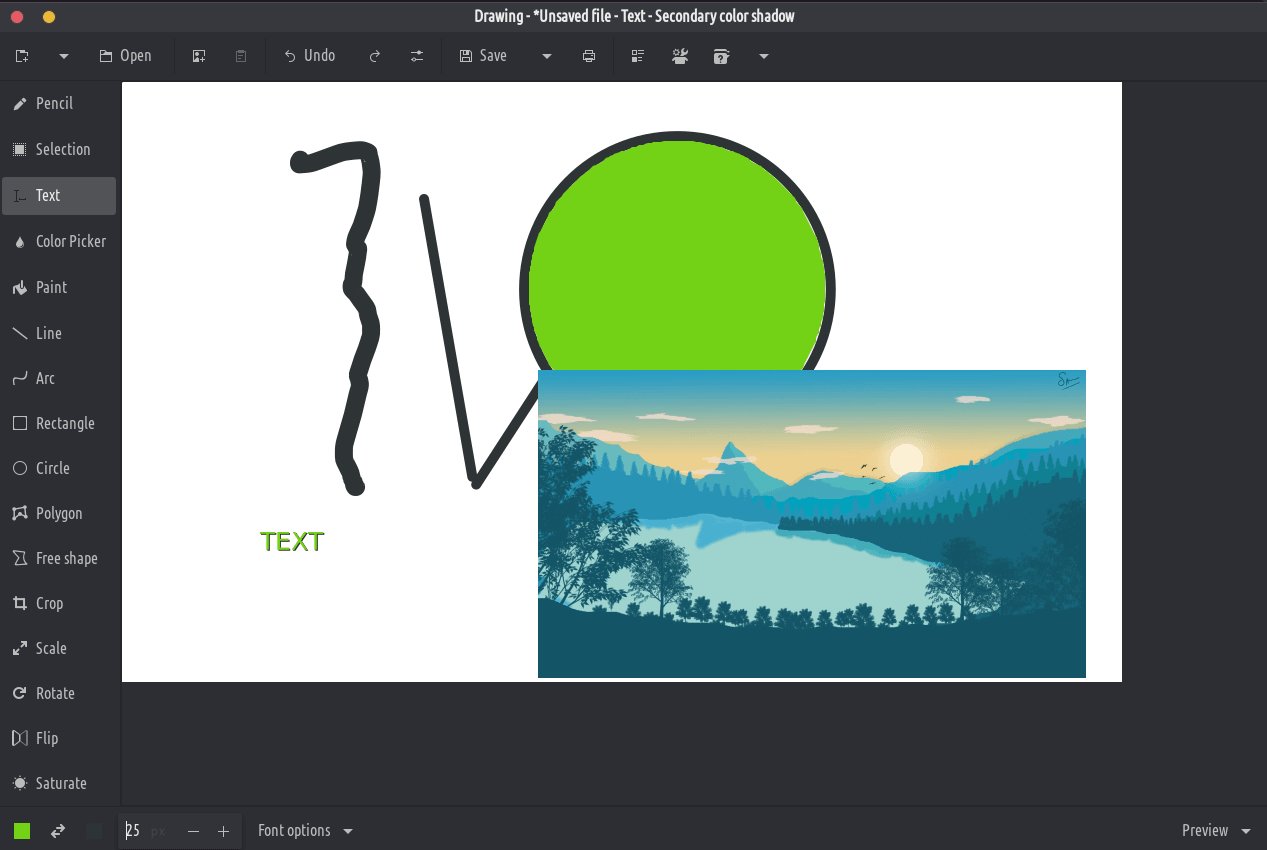
This application is a basic image editor, similar to Microsoft Paint, but aiming at the GNOME desktop.
PNG, JPEG and BMP files are supported.
Besides GNOME, some more traditional design layouts are available too, as well as an elementaryOS layout. It should also be compatible with Purism’s Librem 5 phone.
Classic tools
- Pencil (options: dashes, blur, eraser, …)
- Line (options: arrow, dashes, blur, gradient, …)
- Arc (options: arrow, dashes, …)
- Insert text (options: font, shadow, font size, …)
- Shape (rectangle/circle/oval/polygon/free shape, options: filling, …)
- Color picker
- Paint (options: remove a color, …)
Selection tools
આ ટૂલ્સ તમને વિસ્તાર (લંબચોરસ અથવા મફત) ને વ્યાખ્યાયિત કરવાની મંજૂરી આપે છે, જેને તમે ખસેડી શકો છો, કાપી શકો છો, કૉપિ કરી શકો છો, પેસ્ટ કરી શકો છો, કેનવાસ ટૂલ્સ સાથે સંપાદિત કરી શકો છો, નિકાસ કરી શકો છો, નવી છબી તરીકે ખોલી શકો છો વગેરે.
- લંબચોરસ પસંદગી
- મફત આકાર પસંદગી
- સંલગ્ન રંગ પસંદગી
કેનવાસ/પસંદગી આવૃત્તિ સાધનો
આ ટૂલ્સ આખી ઈમેજને સંપાદિત કરવા અથવા તેના પસંદ કરેલા ભાગને સંપાદિત કરવાની મંજૂરી આપે છે.
- કાપો (ટિપ્પણી: પૂર્વાવલોકન કરેલ ચિત્ર વાસ્તવિક સ્કેલ પર નથી)
- સ્કેલ (વિકલ્પો: પ્રમાણ રાખો કે નહીં)
- ફેરવો (ફેરવો અથવા ફ્લિપ કરો)
- ફિલ્ટર્સ (અસ્પષ્ટતા, સંતૃપ્તિમાં વધારો અથવા ઘટાડો, ઊંધી રંગ, પિક્સેલેટ)