


Timeshift
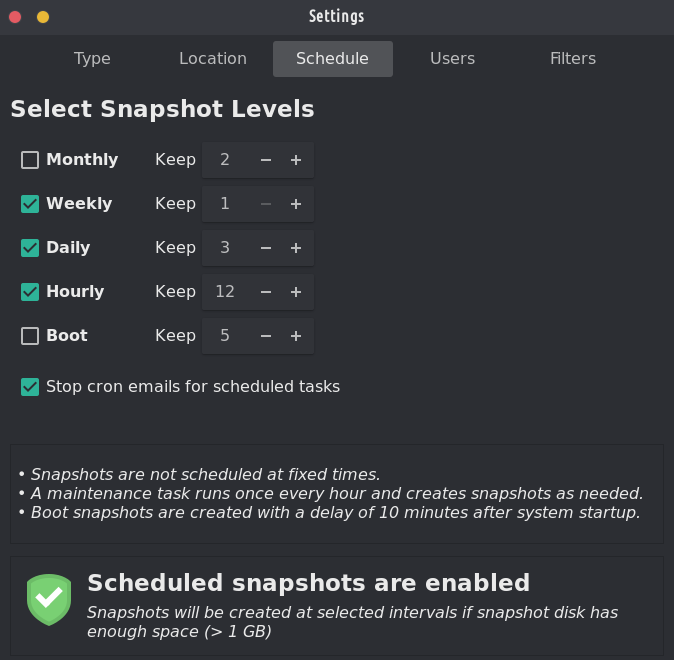
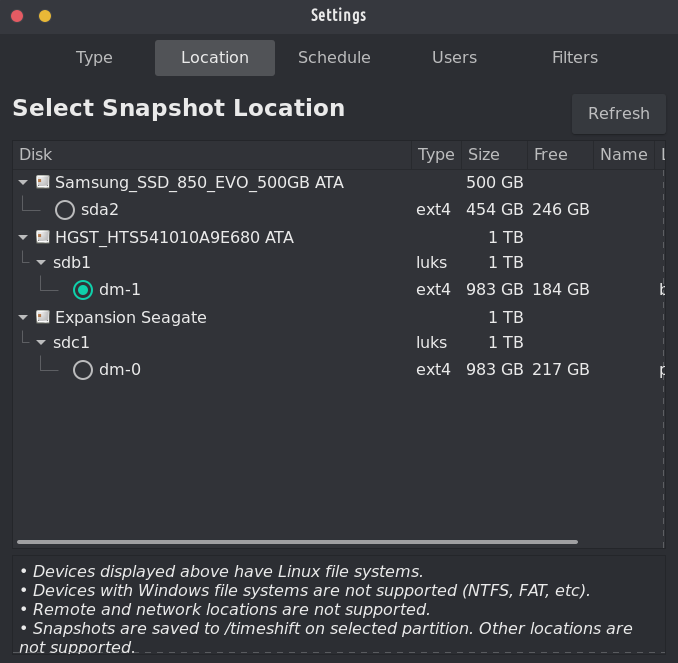
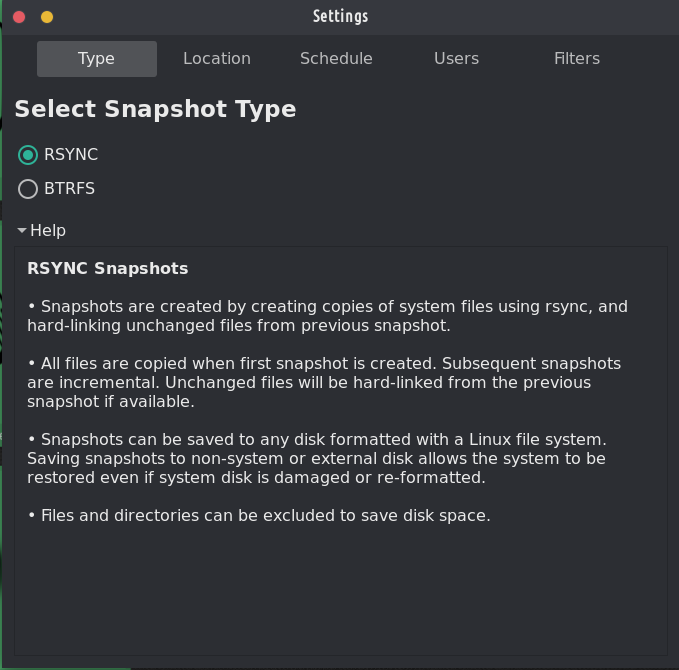
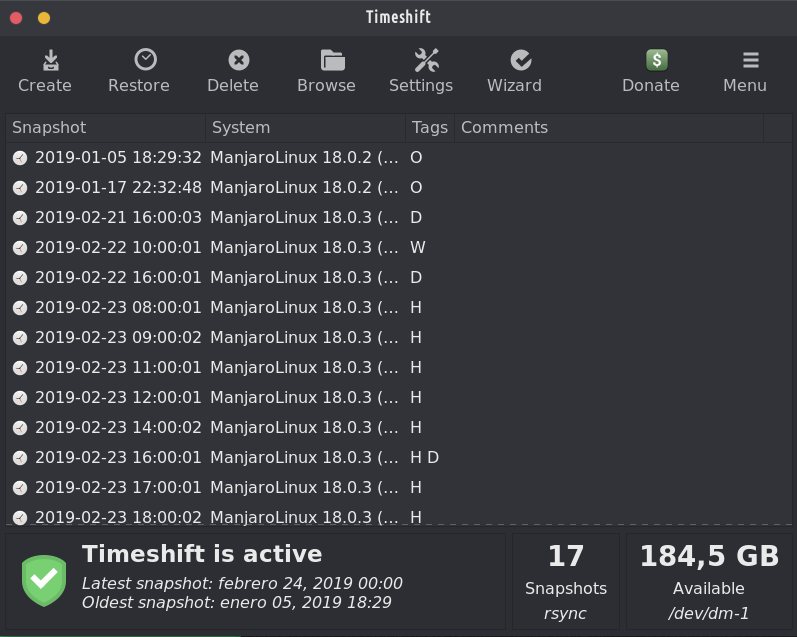
ОПИСАНИЕ:
Инструмент за възстановяване на системата за Linux. Creates filesystem snapshots using rsync+hardlinks, or BTRFS snapshots. Supports scheduled snapshots, multiple backup levels, and exclude filters. Snapshots can be restored while system is running or from Live CD/USB.
Timeshift за Linux е приложение, което предоставя функционалност, подобна на функцията за възстановяване на системата в Windows и инструмента Time Machine в Mac OS. Timeshift protects your system by taking incremental snapshots of the file system at regular intervals. These snapshots can be restored at a later date to undo all changes to the system.
In RSYNC mode, snapshots are taken using rsync and hard-links. Common files are shared between snapshots which saves disk space. Each snapshot is a full system backup that can be browsed with a file manager.
In BTRFS mode, snapshots are taken using the in-built features of the BTRFS filesystem. BTRFS snapshots are supported only on BTRFS systems having an Ubuntu-type subvolume layout (with @ and @home subvolumes).
Timeshift is similar to applications like rsnapshot, BackInTime and TimeVault but with different goals. It is designed to protect only system files and settings. User files such as documents, pictures and music are excluded. This ensures that your files remains unchanged when you restore your system to an earlier date.




Това е една от двете предварително инсталирани програми за архивиране на TROM-Jaro и има основателни причини: лесна е за настройка и ще ви спаси дори когато напълно счупите системата си. It is perfectly designed to backup up your system, not your files. It takes a few minutes to set it up and you will forget about it until you really need it.
To restore a backup is as simple as opening Timeshift, select what snapshot you want, and click restore. В случай, че системата ви не се зарежда (наистина сте объркали системата си), просто включете USB с TROM-Jaro, заредете в него и направете същото: отворете Timeshift и изберете възстановяване (сега изберете къде се записват вашите архиви) и възстановете системата си.
Като цяло, тази програма е ЗАДЪЛЖИТЕЛНА! Никоя Linux дистрибуция не трябва да се доставя без него.
And with “timeshift-autosnap” installed Timeshift does auto-backups before any update of the system. Няма нужда от настройка.
Това все пак е паролата за USB на живо. Трябва да направя ясно, че знам.
@trom Timeshift isa fantastic piece of software that doesn't get enough praise. Резервните копия не са секси, но са от решаващо значение.
Отдалечен отговор
Оригинален URL адрес на коментар
Вашият профил
Защо трябва да влизам в профила си?
This site is part of the ⁂ open social web, a network of interconnected social platforms (like Mastodon, Pixelfed, Friendica, and others). Unlike centralized social media, your account lives on a platform of your choice, and you can interact with people across different platforms.
By entering your profile, we can send you to your account where you can complete this action.