

Izinguquko ezimbalwa nezibuyekezo ezimbalwa. Nazi izinguquko:
- We fixed a few icons and created a bunch more that we hope to be added to the main Zafiro icon theme pack by the developers of it. You can always grab the latest icons from Ukwazi ukuthi izinhlelo zokusebenza zigangile futhi zigcina izilungiselelo zazo kokuthi ubani-wazi ukuthi iyiphi indawo ngaphakathi kwefolda yakho Yasekhaya, nokwazi ukuthi uma unamafayela kusistimu yakho (izithombe, amavidiyo, yini-hhayi) akufolda efanayo Yasekhaya, kopisha wonke yefolda yakho yasekhaya kudrayivu yangaphandle. Ungakhohlwa ngaphambi kokwenza lokho ukukhetha ukukhombisa amafayela/amafolda afihliwe. Ufuna ukukopisha yonke into!, and add the entire folder to your home/.local/share/icons/zafiro-icon-theme. That’s all. When the developers update the icon theme, the update will be pushed automatically to all TROMjaro users.
- We added a password manager: I-KeePassXC. We tested this password manager for the past several years and it seems to be the best and easiest to use. We truly recommend this. We also installed a Firefox extension that integrates KeePassXC with the browser, so that your passwords are saved offline, on you computer, and encrypted. To set all of this up, it is super simple: open KeePassXC and create a new “database” (click, create). Then open your Firefox and click the KeePassXC Addon button (top-right corner).
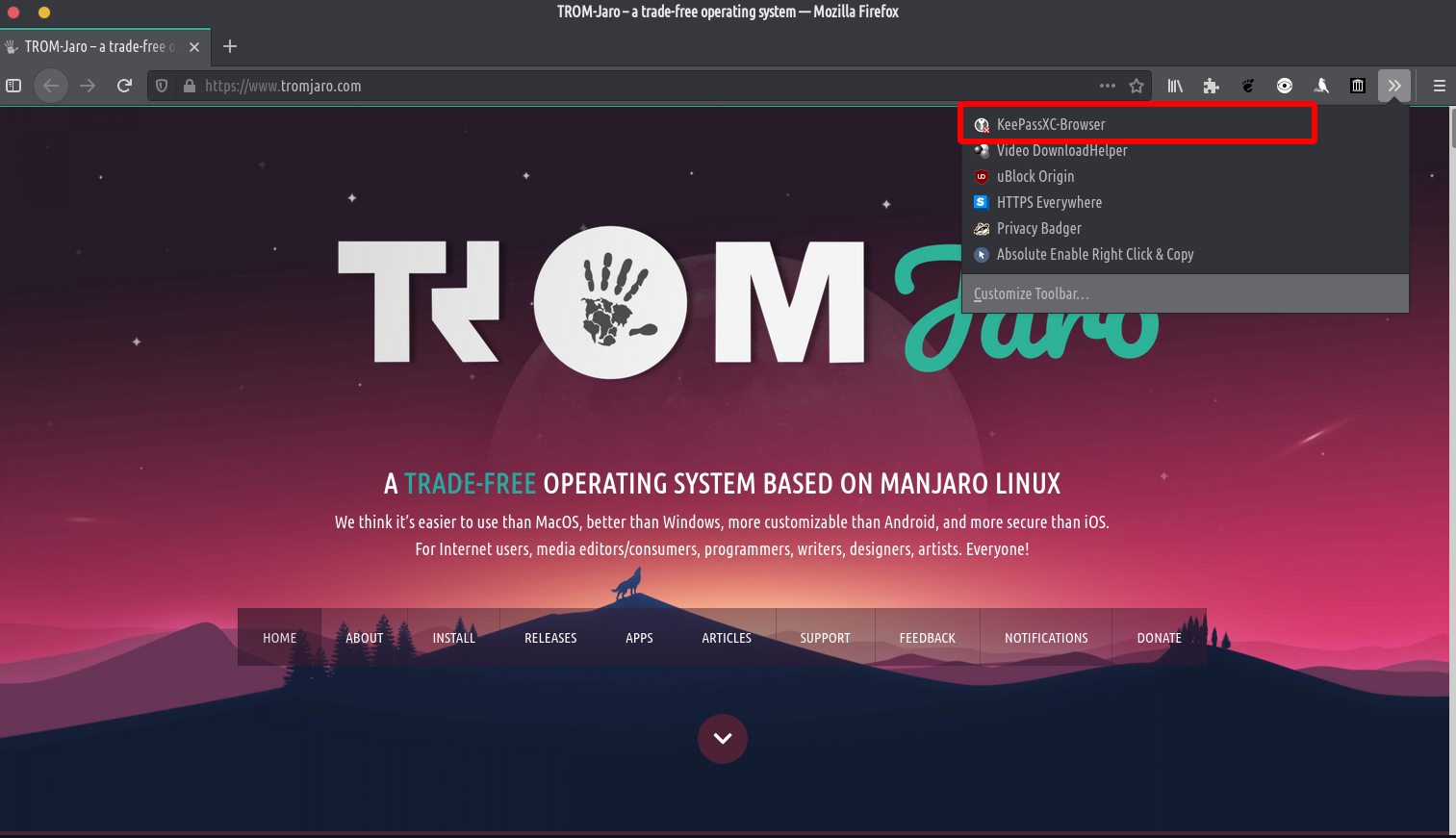
Then simply click connect. That’s it. - We added a Isimo sezulu app because we believe it is good to know that Climate Change is a thing :D.
- We fixed an issue with the Firefox’s top bar. Go to Firefox’s menu -> Customize. Then enable the Title Bar,

Inothi eseceleni: ebhuthini yokuqala ngemuva kokufaka, isandiso se-Unite asilayishi futhi kunjalo ngezilungiselelo zeFirefox. Qala kabusha ikhompuyutha noma uvuselele ideskithophu ngokucindezela u-Alt + F2, bhala “r”, cindezela u-enter. Noma vala iFirefox bese uyivula futhi. Asazi ukuthi yini ebangela lesi siphazamisi kodwa silungiseka kalula ngokumane siqale kabusha ikhompuyutha, ideskithophu, noma iFirefox. Futhi izosebenza emva kwalokho.