

- We migrated to kernel 510. This is the latest long term release (LTS) kernel. The kernel is the core of the operating system, providing the drivers and all of these ‘goodies’. The newer the kernel, the better the compatibility with the hardware. So we highly recommend everyone to upgrade to the latest kernel. This is one in a year or more event, mind you. To upgrade, open the Manjaro Settings:
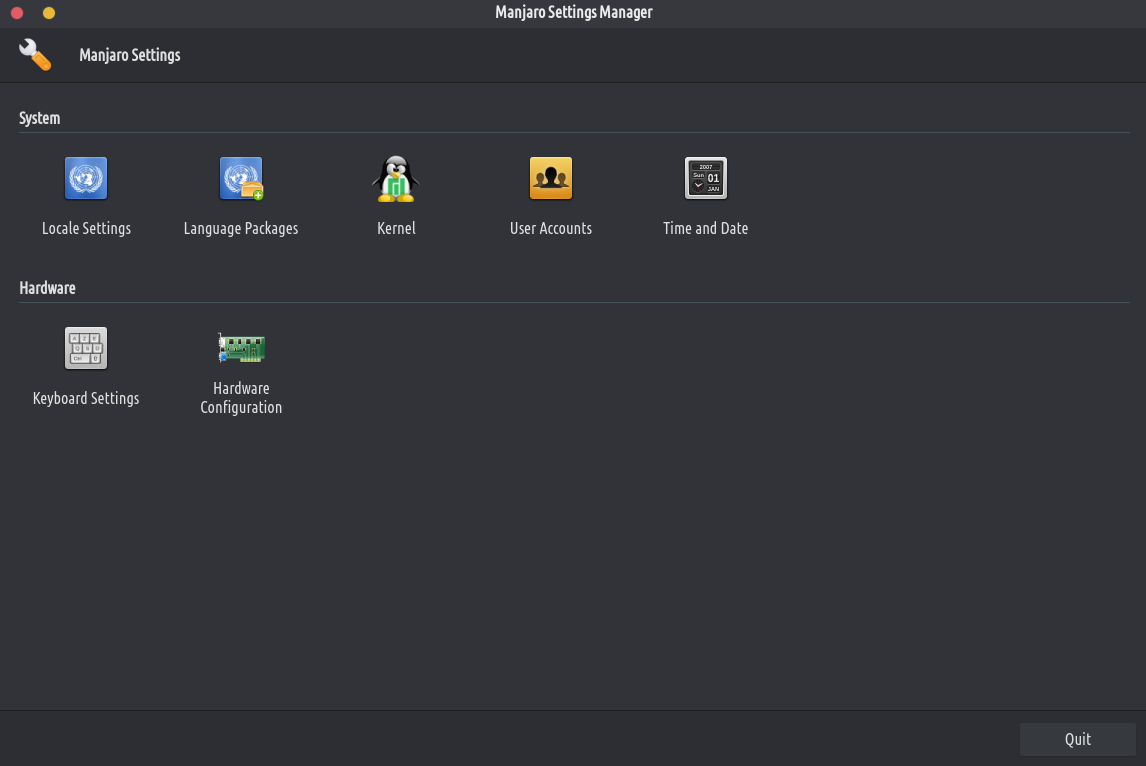
Go to “kernel” and install the 5.10 version by simply clicking the “fi sori ẹrọ” button. After the installation is done reboot your computer in order to use it. In the very first seconds of your computer rebooting, press SHIFT on your keyboard multiple times until you see a menu. Select the Advanced options, and then select the kernel 5.10.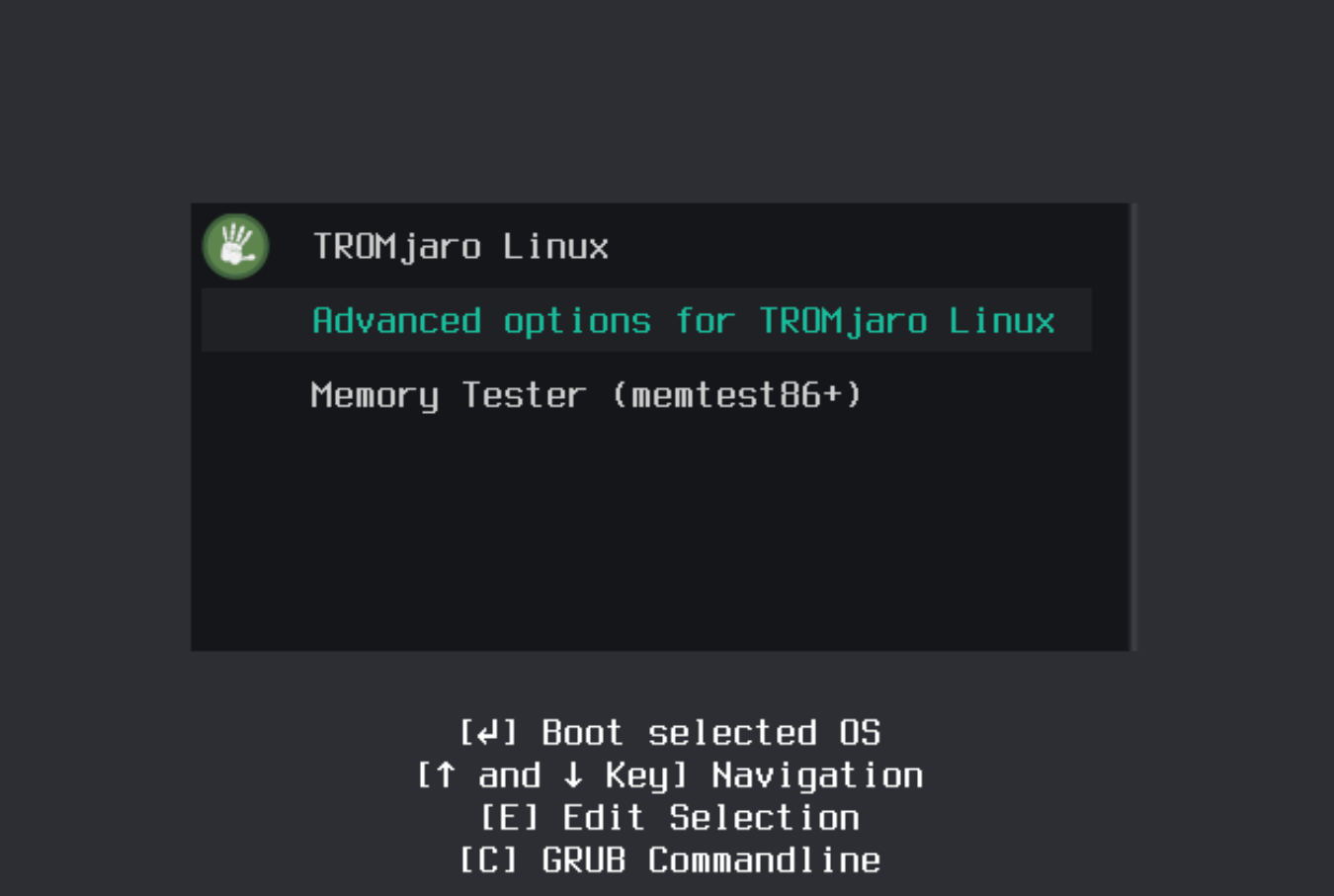
That’s all. From now on your computer will use the newer kernel. Congrats!
- We migrated to kernel 510. This is the latest long term release (LTS) kernel. The kernel is the core of the operating system, providing the drivers and all of these ‘goodies’. The newer the kernel, the better the compatibility with the hardware. So we highly recommend everyone to upgrade to the latest kernel. This is one in a year or more event, mind you. To upgrade, open the Manjaro Settings:
- We greatly improved the TROMjaro installer (Calamares) in terms of the design. Now it looks very much like the entire TROMjaro OS, and makes it easier for people to follow the simple steps to install it.
- We updated our SearX search engine, the default TROMjaro search engine. Now it is faster, more accurate, and more secure. If you are noticing that whenever you type something into the Firefox url bar, the search doesn’t go through the search engine and it simply opens up SearX, then go to Firefox – Preferences – Search. Scroll down and remove the TROMland SearX. Now visit the SearX engine again (https://tromland.org/searx/) and from the top url bar, the 3 dots, add it back to Firefox. Lastly, go back to Preferences and make it as default. That’s it.
agberu aworan agberu aworantrom agberu aworan