

Awọn ayipada diẹ ati awọn imudojuiwọn diẹ. Eyi ni awọn iyipada:
- We fixed a few icons and created a bunch more that we hope to be added to the main Zafiro icon theme pack by the developers of it. You can always grab the latest icons from Nibi, and add the entire folder to your home/.local/share/icons/zafiro-icon-theme. That’s all. When the developers update the icon theme, the update will be pushed automatically to all TROMjaro users.
- We added a password manager: KeePassXC. We tested this password manager for the past several years and it seems to be the best and easiest to use. We truly recommend this. We also installed a Firefox extension that integrates KeePassXC with the browser, so that your passwords are saved offline, on you computer, and encrypted. To set all of this up, it is super simple: open KeePassXC and create a new “database” (click, create). Then open your Firefox and click the KeePassXC Addon button (top-right corner).
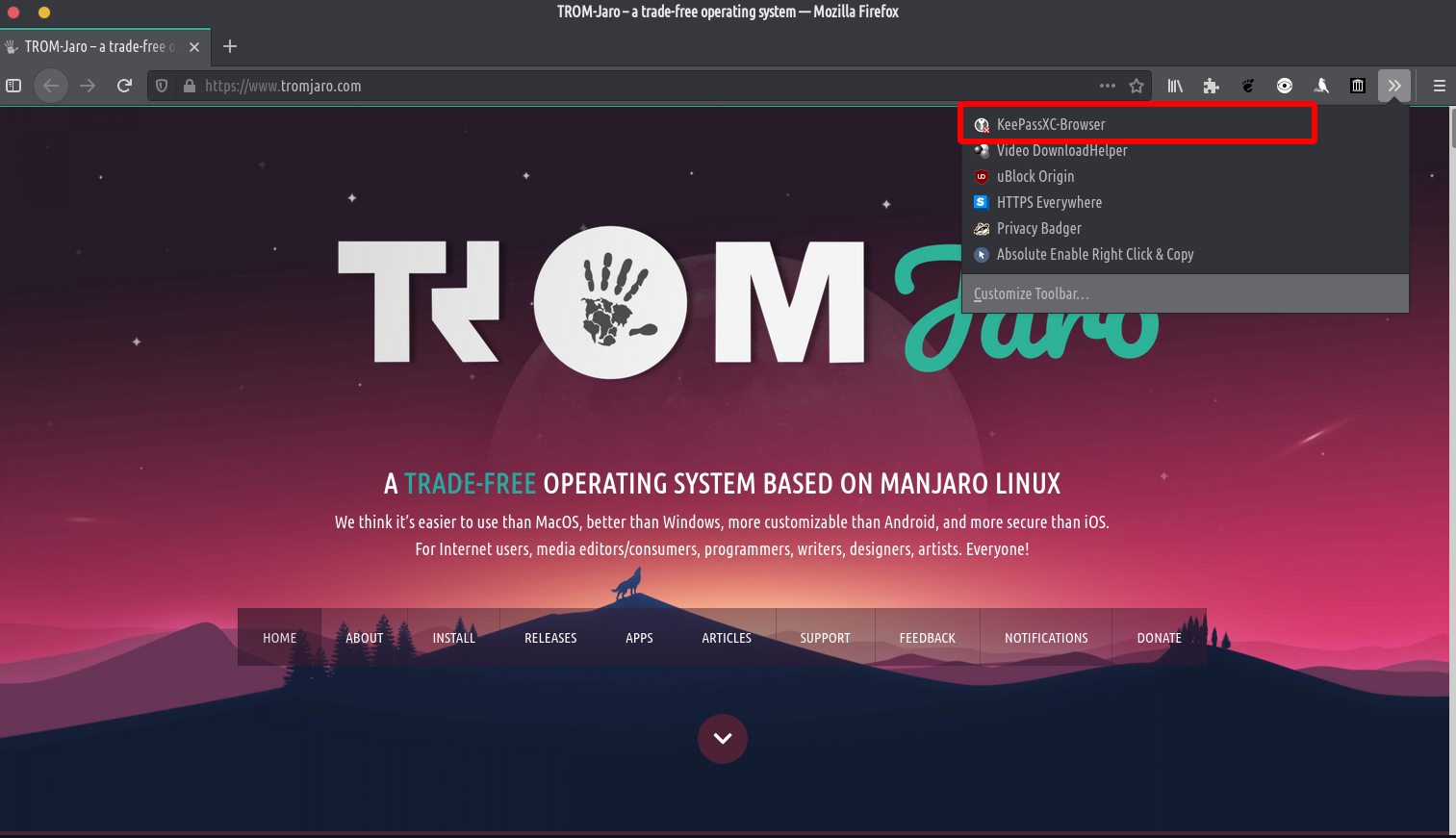
Then simply click connect. That’s it. - A fi kun a Oju ọjọ app because we believe it is good to know that Climate Change is a thing :D.
- We fixed an issue with the Firefox’s top bar. Go to Firefox’s menu -> Customize. Then enable the Title Bar,

Akọsilẹ ẹgbẹ: lori bata akọkọ lẹhin fifi sori ẹrọ, itẹsiwaju Unite ko ṣe fifuye ati nitorinaa o jẹ ọran fun awọn eto Firefox. Boya tun kọmputa naa bẹrẹ tabi sọ tabili tabili ṣiṣẹ nipa titẹ Alt + F2, kọ “r”, tẹ tẹ sii. Tabi pa Firefox ki o ṣi i lẹẹkansi. A ko mọ ohun ti o fa kokoro yii ṣugbọn o rọrun ni atunṣe nipa tun bẹrẹ kọnputa, tabili tabili, tabi Firefox. Ati pe yoo ṣiṣẹ lẹhin naa.