
umzobo
INKCAZELO:
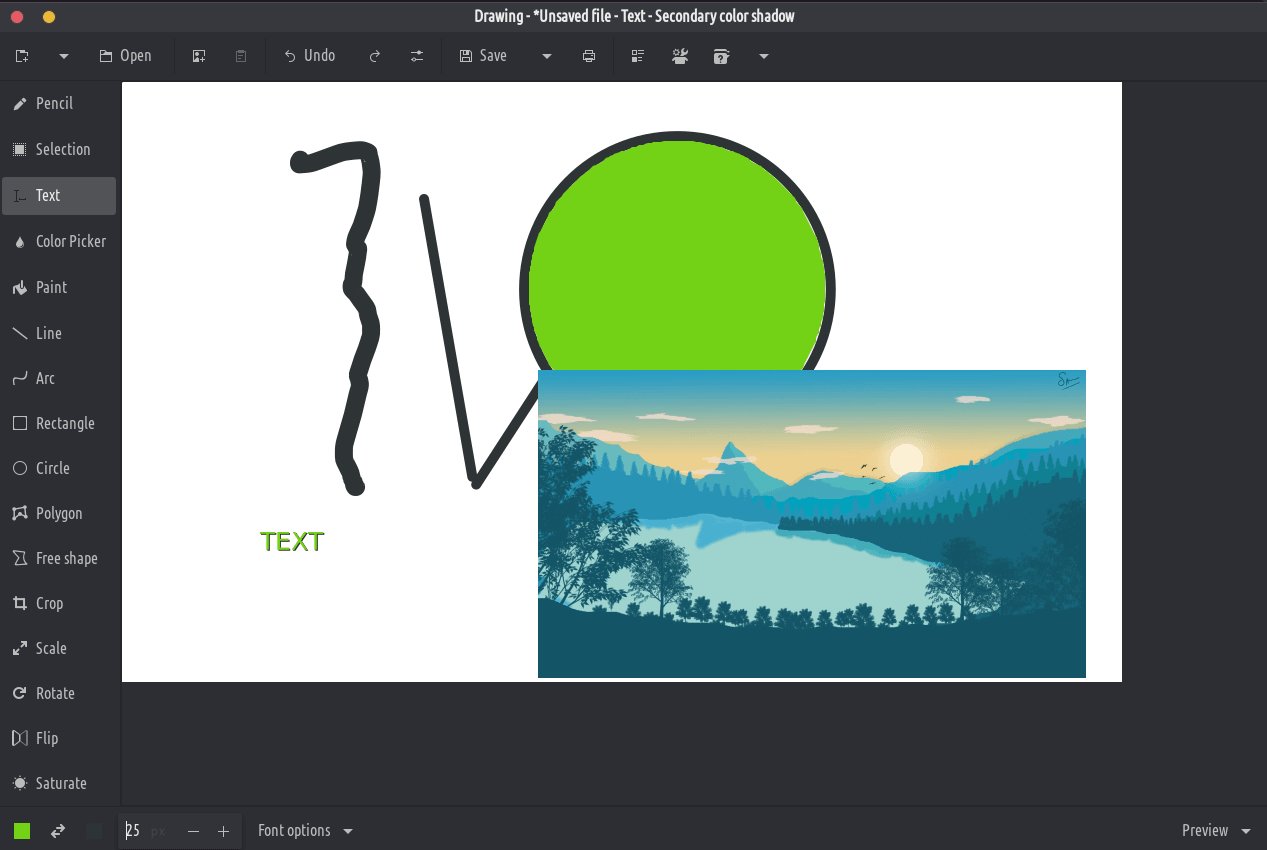
Esi sicelo sisisiseko somhleli wemifanekiso, sifana ne-Microsoft Paint, kodwa sijolise kwi-desktop ye-GNOME.
Iifayile zePNG, zeJPEG kunye neBMP ziyaxhaswa.
Ngaphandle kwe-GNOME, ezinye iiplani zoyilo lwemveli ziyafumaneka nazo, kunye noyilo lwe-OS yeprayimari. Kufuneka kwakhona ihambelane ne-Purism's Librem 5 ifowuni.
izixhobo Classic
- Ipensile (ukhetho: iidashi, ukufiphala, into yokucima, ...)
- Umgca (ukhetho: utolo, iidashi, ukufiphala, ukuthamba, ...)
- I-Arc (ukhetho: utolo, iidashi, ...)
- Faka okubhaliweyo (ukhetho: ifonti, isithunzi, ubungakanani befonti, ...)
- Ubume (uxande/isangqa/oval/polygon/imilo esimahla, iinketho: ukuzaliswa, ...)
- Isikhethi sombala
- Ipeyinti (ukhetho: susa umbala, ...)
Izixhobo zokukhetha
Ezi zixhobo zikuvumela ukuba uchaze indawo (uxande okanye ukhululekile), onokuthi uhambe, unqumle, ukopishe, unamathisele, uhlele ngezixhobo ze-canvas, ukuthumela ngaphandle, uvule njengomfanekiso omtsha, njl.
- Ukukhetha uxande
- Ukukhetha imilo yasimahla
- Ukukhetha umbala okufutshane
I-Canvas/izixhobo zokhetho lohlelo
Ezi zixhobo zivumela ukuhlela wonke umfanekiso, okanye ukuhlela inxalenye yawo ekhethiweyo.
- NONE
- Isikali (ukhetho: gcina umlinganiselo okanye hayi)
- Jikelezisa (jikelisa okanye ujike)
- Izihluzi (ubumnyama, ukwandisa okanye ukunciphisa ukugcwala, ukuguqulela imibala, i-pixelate)