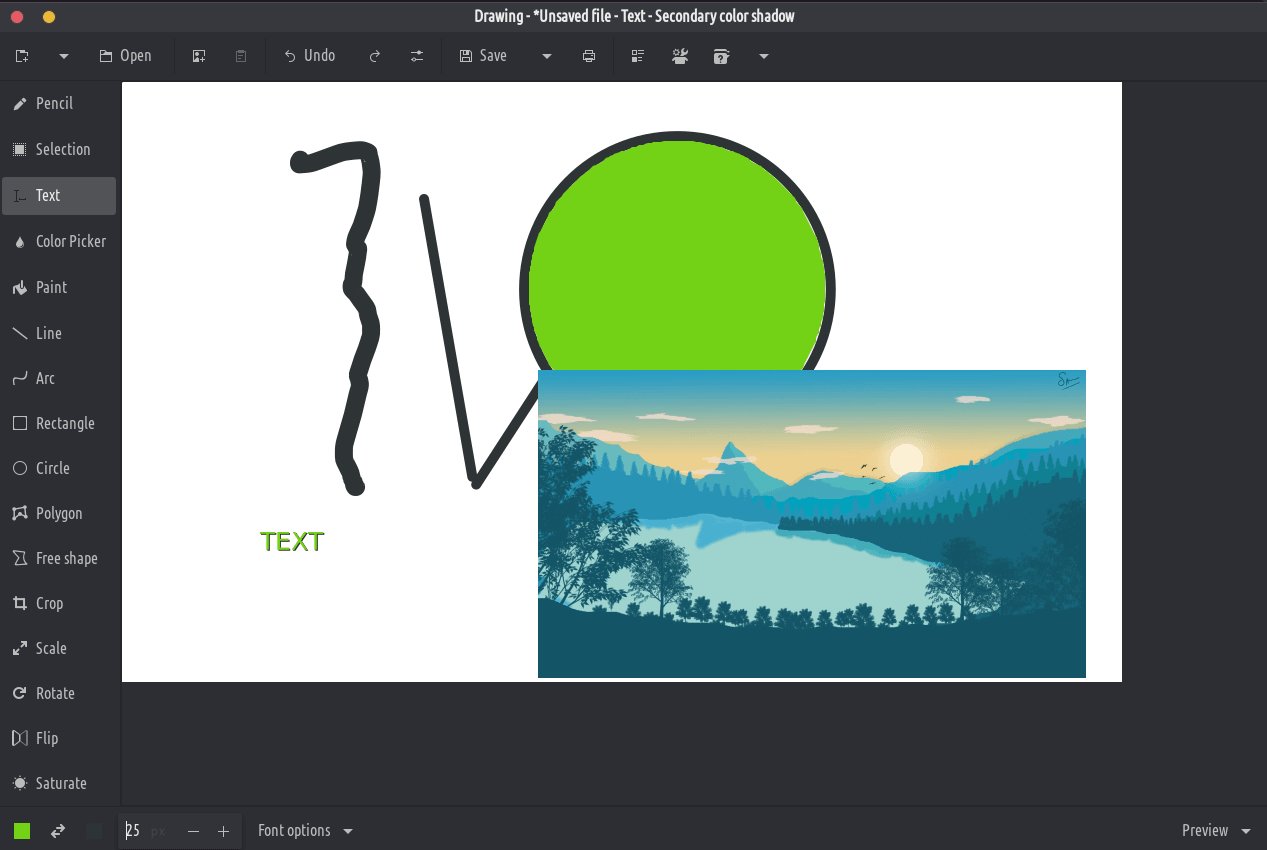
Ứng dụng này là một trình chỉnh sửa hình ảnh cơ bản, tương tự như Microsoft Paint, nhưng hướng tới máy tính để bàn Gnome.
Các tệp PNG, JPEG và BMP được hỗ trợ.
Bên cạnh Gnome, một số bố cục thiết kế truyền thống hơn cũng có sẵn cũng như bố cục ElementaryOS. Nó cũng phải tương thích với điện thoại Librem 5 của Purism.
Công cụ cổ điển
Bút chì (tùy chọn: gạch ngang, làm mờ, tẩy, …)
Dòng (tùy chọn: mũi tên, dấu gạch ngang, độ mờ, độ dốc, …)
Vòng cung (tùy chọn: mũi tên, dấu gạch ngang, …)
Chèn văn bản (tùy chọn: font chữ, đổ bóng, cỡ chữ,…)
Hình dạng (hình chữ nhật/hình tròn/hình bầu dục/đa giác/hình tự do, tùy chọn: tô màu, …)
Bộ chọn màu
Sơn (tùy chọn: xóa màu, …)
Công cụ lựa chọn
Những công cụ này cho phép bạn xác định một khu vực (hình chữ nhật hoặc tự do), mà bạn có thể di chuyển, cắt, sao chép, dán, chỉnh sửa bằng công cụ canvas, xuất, mở dưới dạng hình ảnh mới, v.v.
Lựa chọn hình chữ nhật
Lựa chọn hình dạng miễn phí
Lựa chọn màu liền kề
Công cụ phiên bản canvas/lựa chọn
Những công cụ này cho phép chỉnh sửa toàn bộ hình ảnh hoặc chỉnh sửa một phần đã chọn của nó.
Cắt (lưu ý: hình ảnh được xem trước không ở tỷ lệ thực tế)
Tỷ lệ (tùy chọn: giữ tỷ lệ hoặc không)
Xoay (xoay hoặc lật)
Bộ lọc (làm mờ, tăng hoặc giảm độ bão hòa, đảo ngược màu sắc, pixelate)
Thêm: Mặc dù tôi đã cố gắng trình bày tất cả các tính năng chính của chương trình, có rất nhiều tính năng nhỏ hơn mà tôi đã bỏ lỡ. Có thể kể đến một số: Chế độ khung dây cho phép bạn phát hiện các lỗ trong hình học, vẽ gương để tạo hiệu quả các đối tượng đối xứng, hoàn tác / làm lại không giới hạn, nhập hình ảnh 2D dưới dạng voxel hoặc các công cụ hỗ trợ trực quan như trục tọa độ.