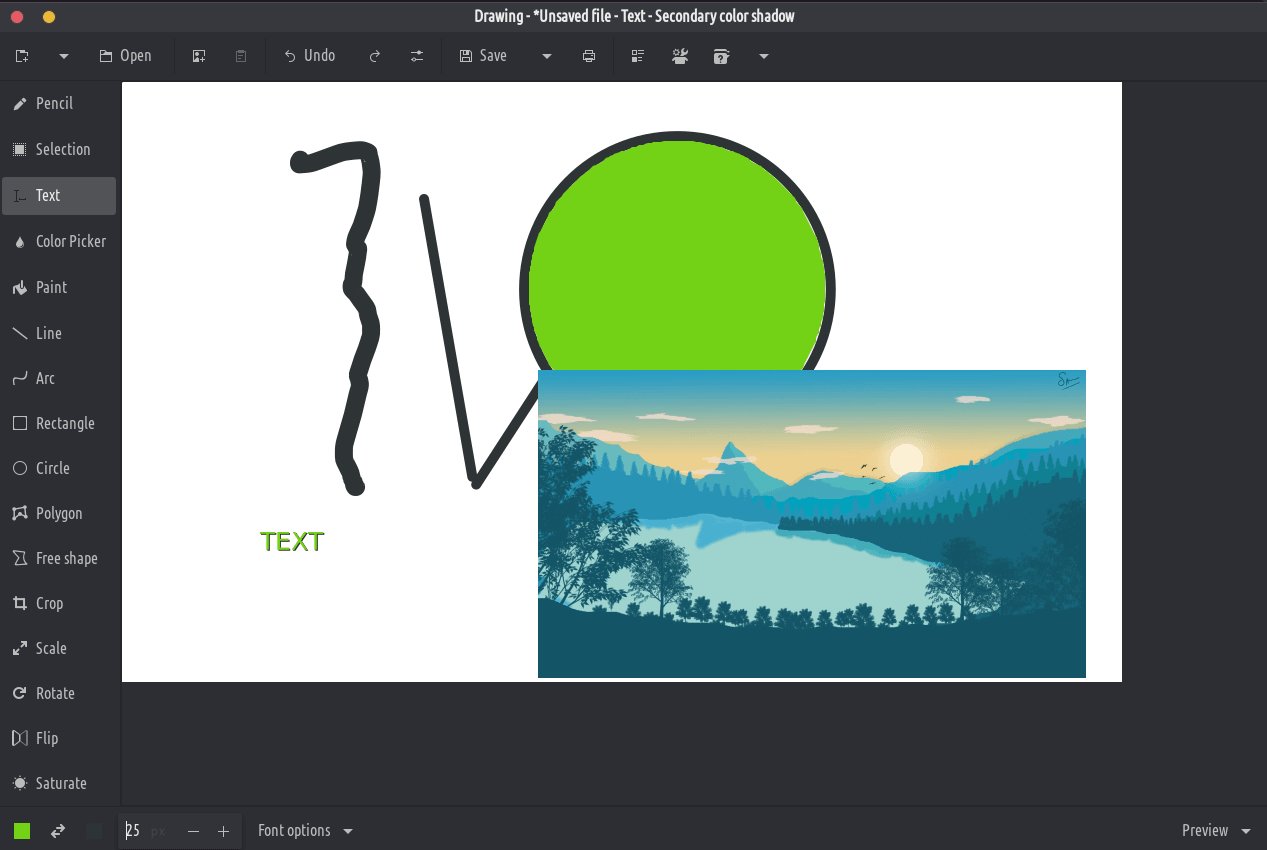
اها درخواست هڪ بنيادي تصويري ايڊيٽر آهي، مائڪروسوفٽ پينٽ سان ملندڙ، پر گنيم ڊيسڪ ٽاپ تي ساڳيو مقصد.
PNG، JPEG ۽ BMP فائلون سپورٽ آهن.
GNOME کان علاوه، ڪجهه وڌيڪ روايتي ڊيزائن جي ترتيب پڻ دستياب آهن، انهي سان گڏ هڪ ايليمينٽري او ايس ترتيب. اهو پڻ Purism جي Librem 5 فون سان مطابقت هجڻ گهرجي.
ڪلاسيڪل اوزار
پنسل (اختيارن: ڊيش، بلور، ايريزر، ...)
لائين (اختيارن: تير، ڊيش، بلور، گريجوئيٽ، ...)
آرڪ (اختيارن: تير، ڊيش، ...)
ٽيڪسٽ داخل ڪريو (اختيارن: فونٽ، ڇانو، فونٽ سائيز، ...)
اهي اوزار توهان کي هڪ علائقي (مستطيل يا مفت) جي وضاحت ڪرڻ جي اجازت ڏين ٿا، جنهن کي توهان منتقل ڪري سگهو ٿا، ڪٽي، ڪاپي، پيسٽ، ڪينواس اوزار سان ايڊٽ ڪرڻ، برآمد ڪرڻ، نئين تصوير جي طور تي کولڻ وغيره.
مستطيل چونڊ
مفت شڪل جي چونڊ
ڀرسان رنگ جي چونڊ
ڪينوس / چونڊ ايڊيشن جا اوزار
اهي اوزار سڄي تصوير کي تبديل ڪرڻ، يا ان جي چونڊيل حصي کي تبديل ڪرڻ جي اجازت ڏين ٿا.
فصل (تبصرو: پيش ڪيل تصوير حقيقي پيماني تي نه آهي)
اسڪيل (اختيارن: تناسب رکو يا نه)
گھمڻ (گھمڻ يا ڦيرايو)
فلٽر (بلور، سنترپشن کي وڌايو يا گھٽايو، رنگ ڦيرايو، پکسلٽ)