अर्थ
वर्णनः
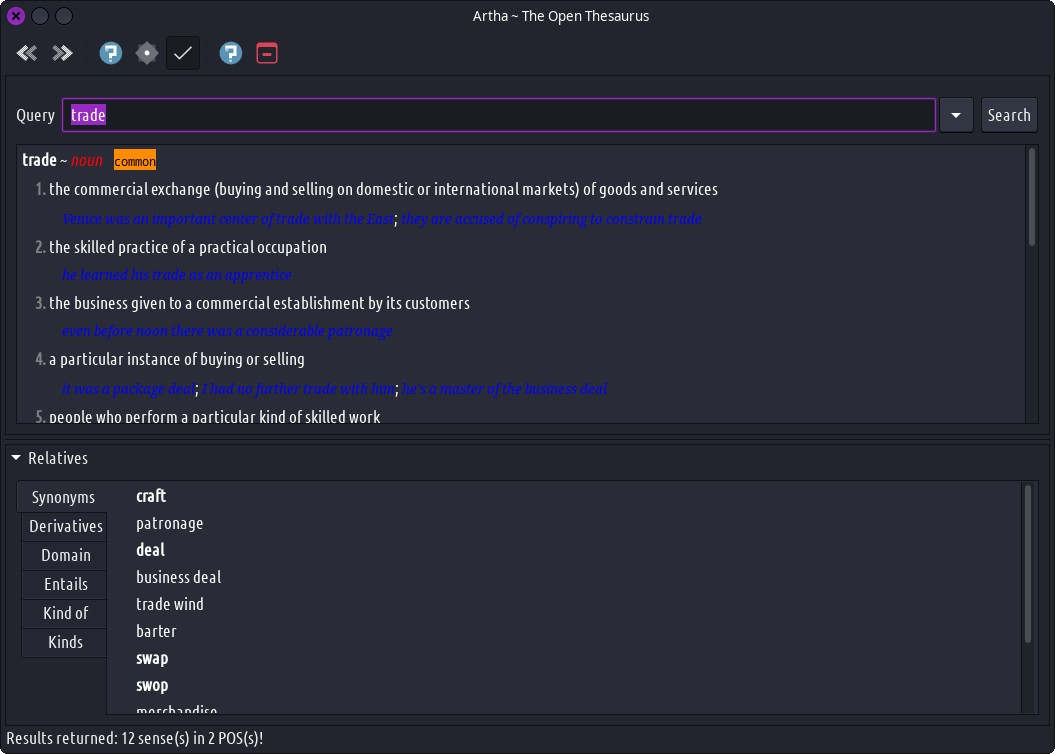
अर्थ हा एक सुलभ कोश आहे जो साधेपणा आणि वापरण्यास सुलभता न ठेवता उच्च वापरण्यावर लक्ष केंद्रित करतो. यात खालील विशिष्ट वैशिष्ट्ये आहेत जी त्याची उपयोगिता वाढवतात:
- WordNet – Artha harnesses the extensive & in-depth database provided by WordNet. Unlike other dictionaries which goes on-line for every single lookup, Artha works completely off-line; thanks to WordNet for its excellent and cognitive database.
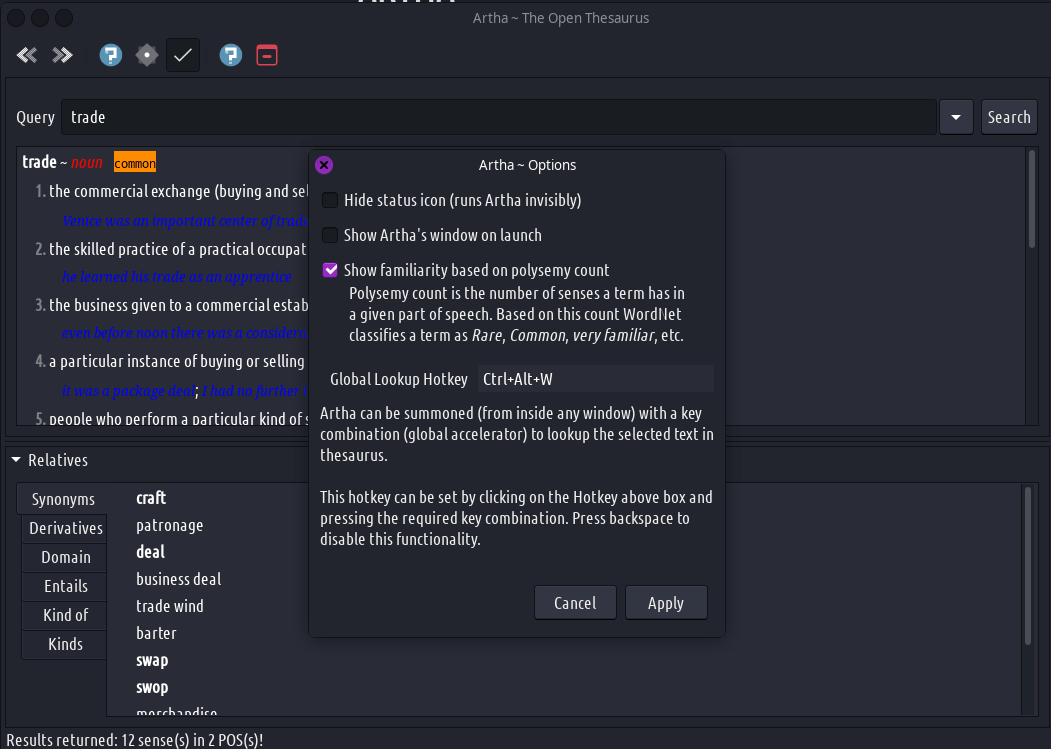
- हॉट की लुकअप - जेव्हा तुम्ही प्री-सेट हॉट की दाबता, कोणत्याही विंडोवर काही मजकूर निवडल्यानंतर, अर्थ निवडीच्या व्याख्यांसह पॉप अप होतो.
- नियमित अभिव्यक्ती शोध - जेव्हा एखादा शब्द अस्पष्टपणे ओळखला जातो उदा. वापरकर्त्याला त्याच्या स्पेलिंगबद्दल अस्पष्ट आहे किंवा जेव्हा ते केवळ प्रारंभ/समाप्त होते तेव्हा किंवा वर्णांची संख्या ज्ञात असते तेव्हा; त्यांच्या मनात असलेला विशिष्ट शब्द शोधण्यासाठी रेग्युलर एक्स्प्रेशन वापरून शोधाचा वेग वाढवू शकतो/संकुचित करू शकतो.
- सूचना – अर्जाची विंडो पॉप अप होण्याऐवजी अर्थ निष्क्रिय सूचना (बलून टिप्स) दर्शवू शकते, जेणेकरून तुम्ही जे करत आहात ते अखंडितपणे सुरू ठेवू शकता. (जसे वाचन, लेखन इ.)
- सूचना - जेव्हा चुकीच्या स्पेलिंग शब्दासाठी प्रश्न विचारला जातो, तेव्हा अर्थ तुम्हाला त्याच्या जवळपास जुळणाऱ्या सूचना देतो.
- रिलेटिव्ह टू सेन्स मॅपिंग - समानार्थी शब्द, विरुद्धार्थी शब्द इत्यादी सारखे सापेक्ष शब्द जे प्रदर्शित केले जातात ते बरेच आहेत. एखाद्या शब्दाचा कोणता अर्थ/व्याख्या सापेक्ष नकाशाशी संबंधित आहे हे कदाचित तुम्हाला माहीत नसेल. अर्थामध्ये, जेव्हा तुम्ही एखादा नातेवाईक निवडता, तेव्हा त्याची संबंधित व्याख्या स्क्रोल केली जाते आणि सहज आकलनासाठी हायलाइट केली जाते.
दिलेल्या शब्दासाठी, अर्थाने दर्शविलेल्या संभाव्य नातेसंबंधांमध्ये समानार्थी शब्द, विरुद्धार्थी शब्द, व्युत्पत्ती, प्रतिशब्द (संबंधित संज्ञा/क्रियापद), विशेषता, समान संज्ञा, डोमेन अटी, Entails (क्रियापद काय करत आहे), कारणे (क्रियापदामुळे काय होते), हायपरनाम्स (एक प्रकारचा भाग), Hypernyms (एक प्रकारचा भाग) यांचा समावेश होतो. आणि शब्दार्थ (भाग). नातेवाईकांच्या प्रत्येक श्रेणीबद्दल अधिक जाणून घेण्यासाठी, स्पष्टीकरण आणि उदाहरणासाठी त्यावर क्लिक करा. एकदा लॉन्च झाल्यावर, अर्थ सिस्टम ट्रेवर बसतो आणि प्री-सेट हॉट की कॉम्बिनेशन प्रेस शोधतो. तुम्ही कोणत्याही विंडोवर काही मजकूर निवडू शकता आणि की कॉम्बो दाबून अर्थाला कॉल करू शकता. पर्याय सेटवर अवलंबून, अर्थ लुक-अप शब्दासह पॉप-अपसह किंवा सिस्टम ट्रेमधून शोधलेल्या शब्दाच्या सर्वात महत्त्वाच्या व्याख्येची निष्क्रिय सूचना दर्शवेल.