

Ob peb hloov thiab qee qhov hloov tshiab. Ntawm no yog cov kev hloov pauv:
- We fixed a few icons and created a bunch more that we hope to be added to the main Zafiro icon theme pack by the developers of it. You can always grab the latest icons from ntawm no, and add the entire folder to your home/.local/share/icons/zafiro-icon-theme. That’s all. When the developers update the icon theme, the update will be pushed automatically to all TROMjaro users.
- We added a password manager: KeePassXC. We tested this password manager for the past several years and it seems to be the best and easiest to use. We truly recommend this. We also installed a Firefox extension that integrates KeePassXC with the browser, so that your passwords are saved offline, on you computer, and encrypted. To set all of this up, it is super simple: open KeePassXC and create a new “database” (click, create). Then open your Firefox and click the KeePassXC Addon button (top-right corner).
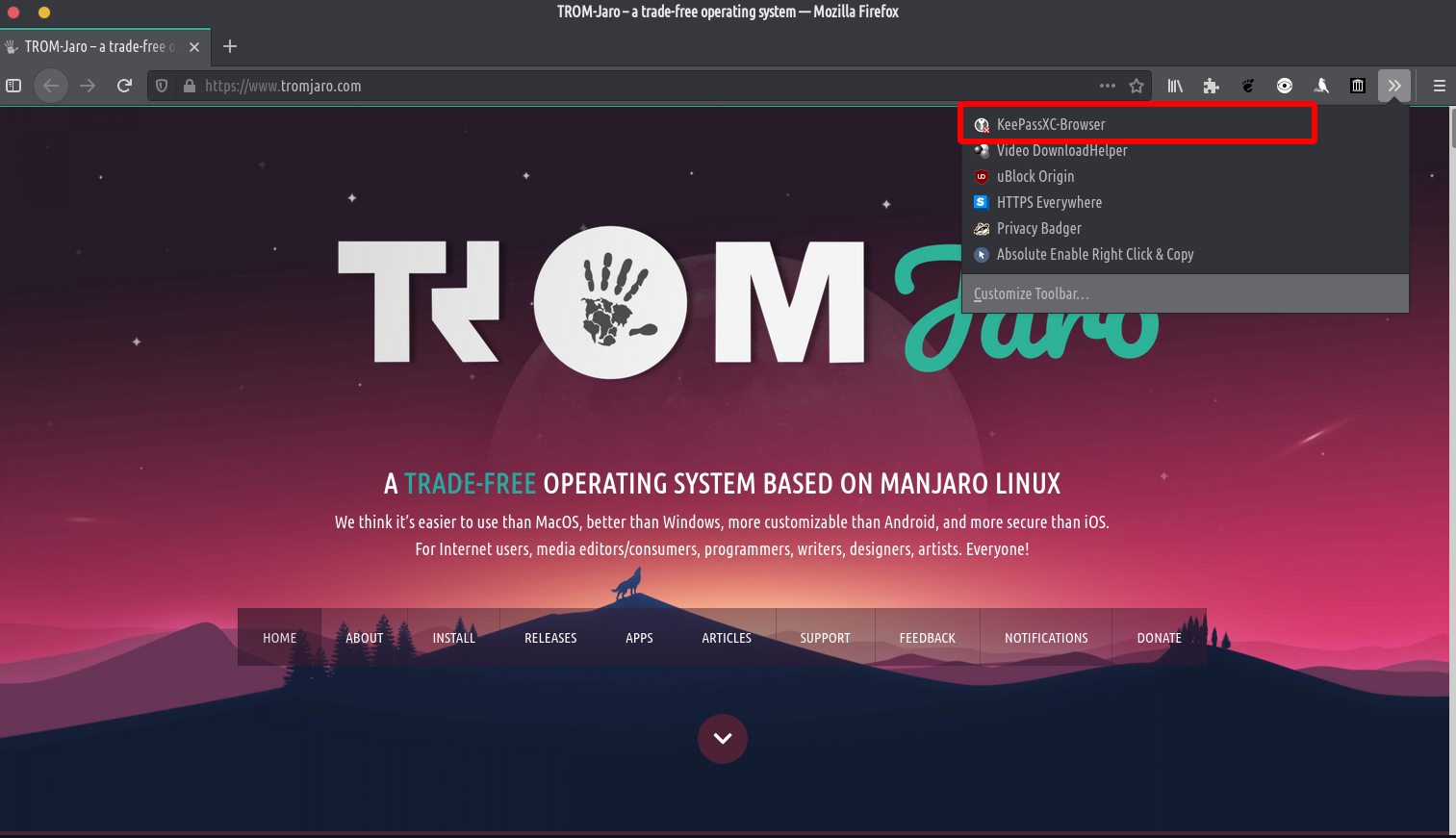
Then simply click connect. That’s it. - Peb ntxiv a Huab cua app because we believe it is good to know that Climate Change is a thing :D.
- We fixed an issue with the Firefox’s top bar. Go to Firefox’s menu -> Customize. Then enable the Title Bar,

Sab Ceeb Toom: Nyob rau thawj khau raj tom qab nruab, txoj kev sib koom siab tsis thauj khoom thiab yog li nws yog rooj plaub rau Firefox cov chaw. Xws li reboot lub khoos phis tawm lossis rov ua dua lub desktop los ntawm nias Alt + F2, sau "R", nias ENTER. Lossis kaw hluav taws kub thiab qhib nws dua. Peb tsis paub dab tsi ua rau kab no tab sis nws yooj yim kho tau los ntawm tsuas rov pib dua lub khoos phis tawm, desktop, lossis Firefox. Thiab nws yuav ua haujlwm tom qab ntawd.